The short answer
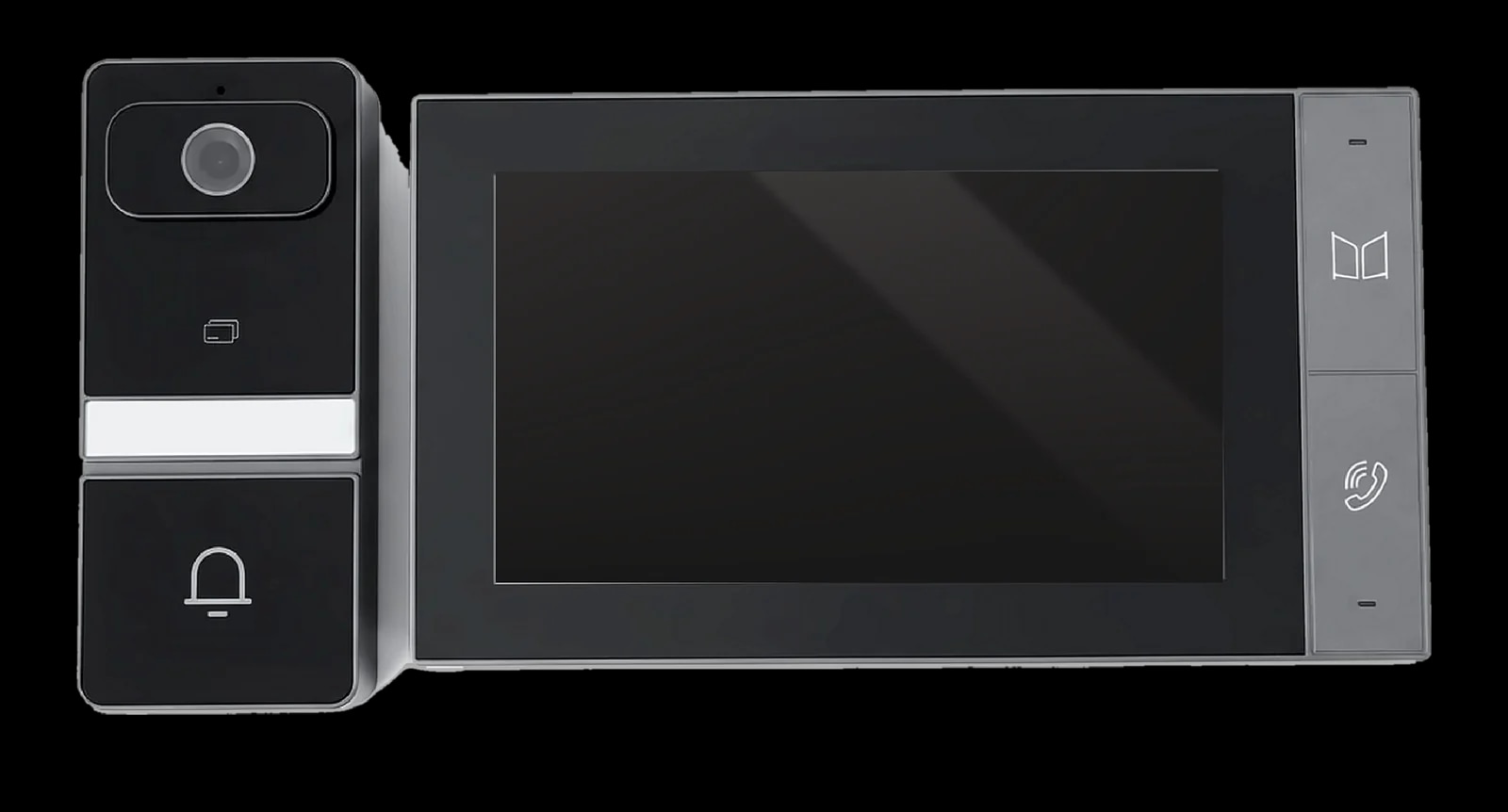
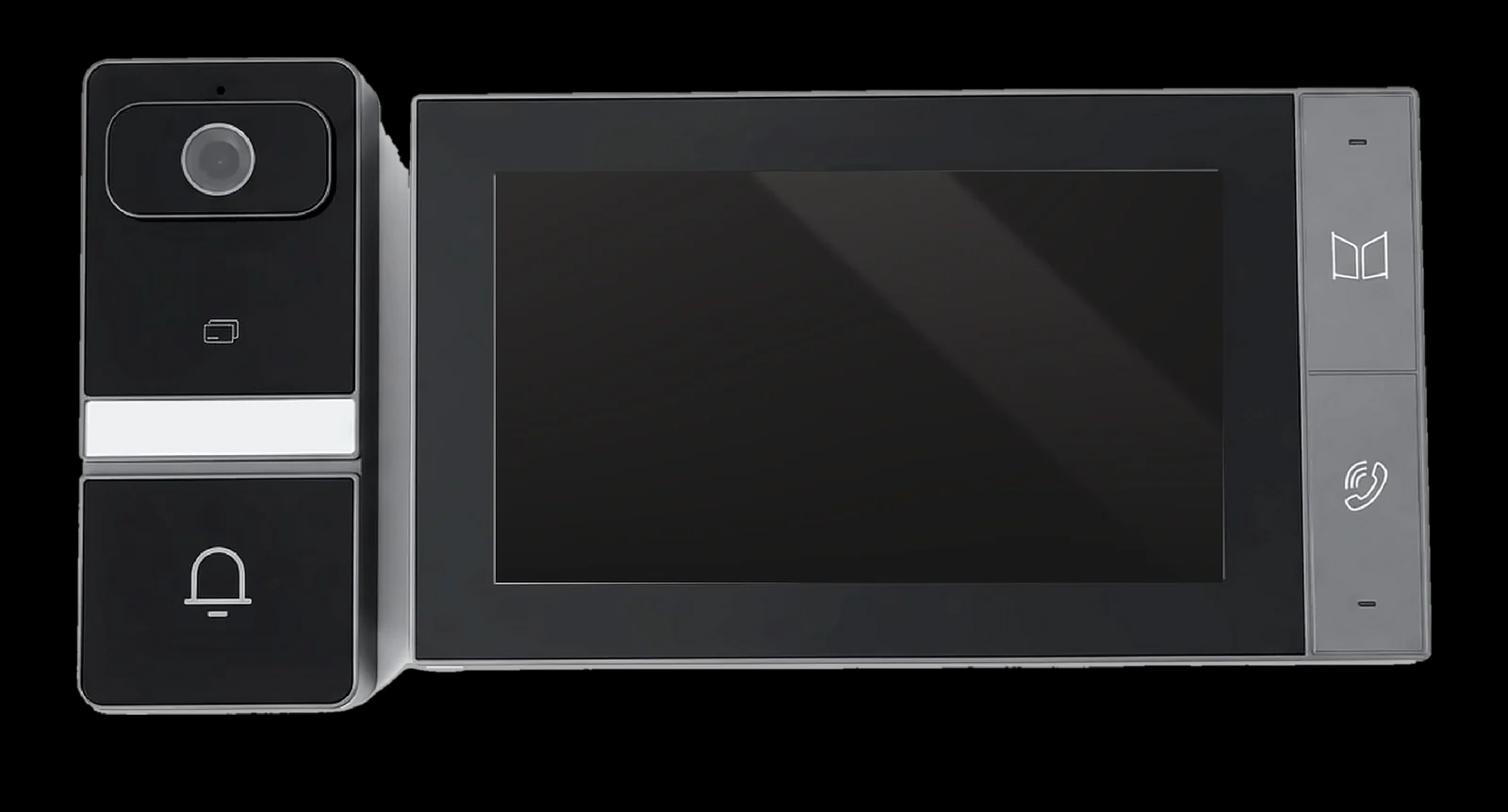
For a villa, one door station rings one household, so a ready kit is often enough: the Spark S-302 pairs a 3.0 MP outdoor station with a 7-inch monitor over Ethernet and rings your phone too. An apartment building needs an entrance station that calls each flat by room number and opens by face, card or code, like the Spark I-500, plus a monitor in every flat.
On this page
Villa or apartment building: what changes?
A villa intercom serves one household. Many villas in Jordan sit behind a boundary wall, so visitors stop at the gate and press one button. In a building, many households share one entrance, and the station there must reach the right flat and let every resident in.
- Calling: one button for a villa; room numbers or a resident list for a building.
- Getting in: a few cards for a family; faces, cards and codes for many residents.
- Management: you run a villa system yourself; in a building, management controls entry and receives alarms.
Spark's video intercom range covers both, from slim single-button villa stations to face-recognition panels for building entrances.
How does a video intercom system work?
A video intercom system has four parts:
- Door station: the outdoor unit, with camera, call button or touchscreen, microphone, speaker and card reader.
- Indoor monitor: the wall screen that rings, shows the visitor and opens the door with a tap.
- App: optional; some monitors and every Spark kit can ring your phone.
- Lock: released by the station's relay; an exit button inside opens it without a call.
Spark systems are IP based and talk in full duplex, so both sides speak at once. They usually run over Cat5 or Cat5e cable that can also carry PoE power: plan that route before the walls are closed.
2-wire or Ethernet: which IP video intercom kit?
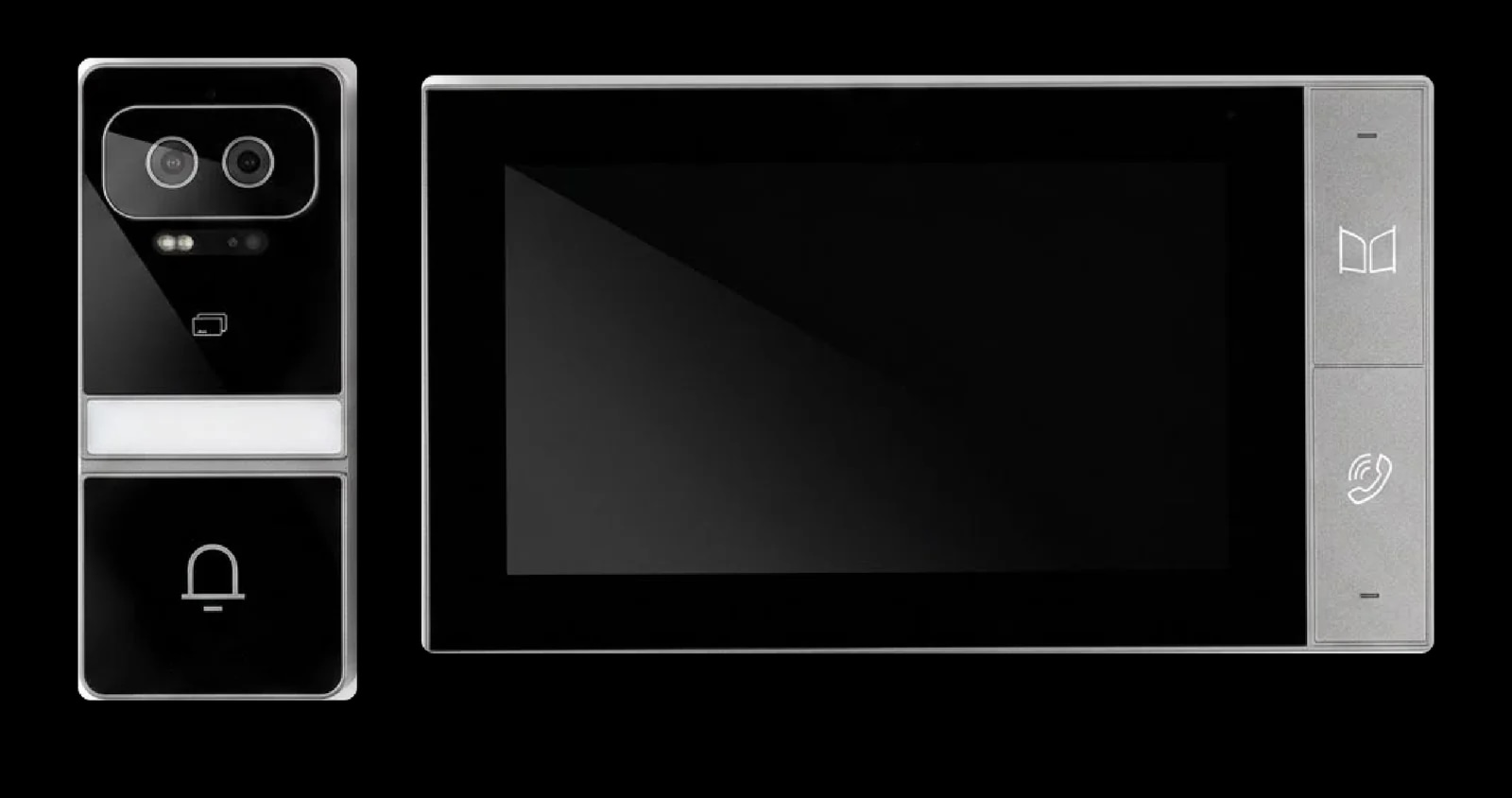
Each Spark kit puts a 7-inch IPS touchscreen monitor and a 3.0 MP outdoor station in one box. The station has a 140° view, infrared night vision, an IC card reader and an IP65 aluminium alloy body.
The Spark S-301 is a 2-wire IP kit. The S-302 and the Spark S-303 are Ethernet IP kits that run over a standard network, and the S-303 adds Face ID with liveness detection.
| Kit | Wiring | Ways to open the door |
|---|---|---|
| S-301 | 2-wire IP, one UTP Cat5 or Cat5e cable, up to 50 m | IC card, indoor monitor, app |
| S-302 | Ethernet IP, Cat5 or Cat5e, up to 50 m | IC card, indoor monitor, app |
| S-303 | Ethernet IP, Cat5 or Cat5e, up to 50 m | Face ID with liveness detection, IC card, indoor monitor, app |
All three run on a PoE switch or DC 24 V, drive one motor-operated electric lock over RVV 2×1.0 cable of up to 10 m, and ring your phone through the Tuya or Smart Life app over Wi-Fi.
Which wiring? A 2-wire design carries power, audio and video over one pair of conductors; an Ethernet kit works like any device on your network. In a new villa, choose by features. To reuse an old intercom's cable, ask a Spark partner to check it first.
Intercom system for a villa: the right setup
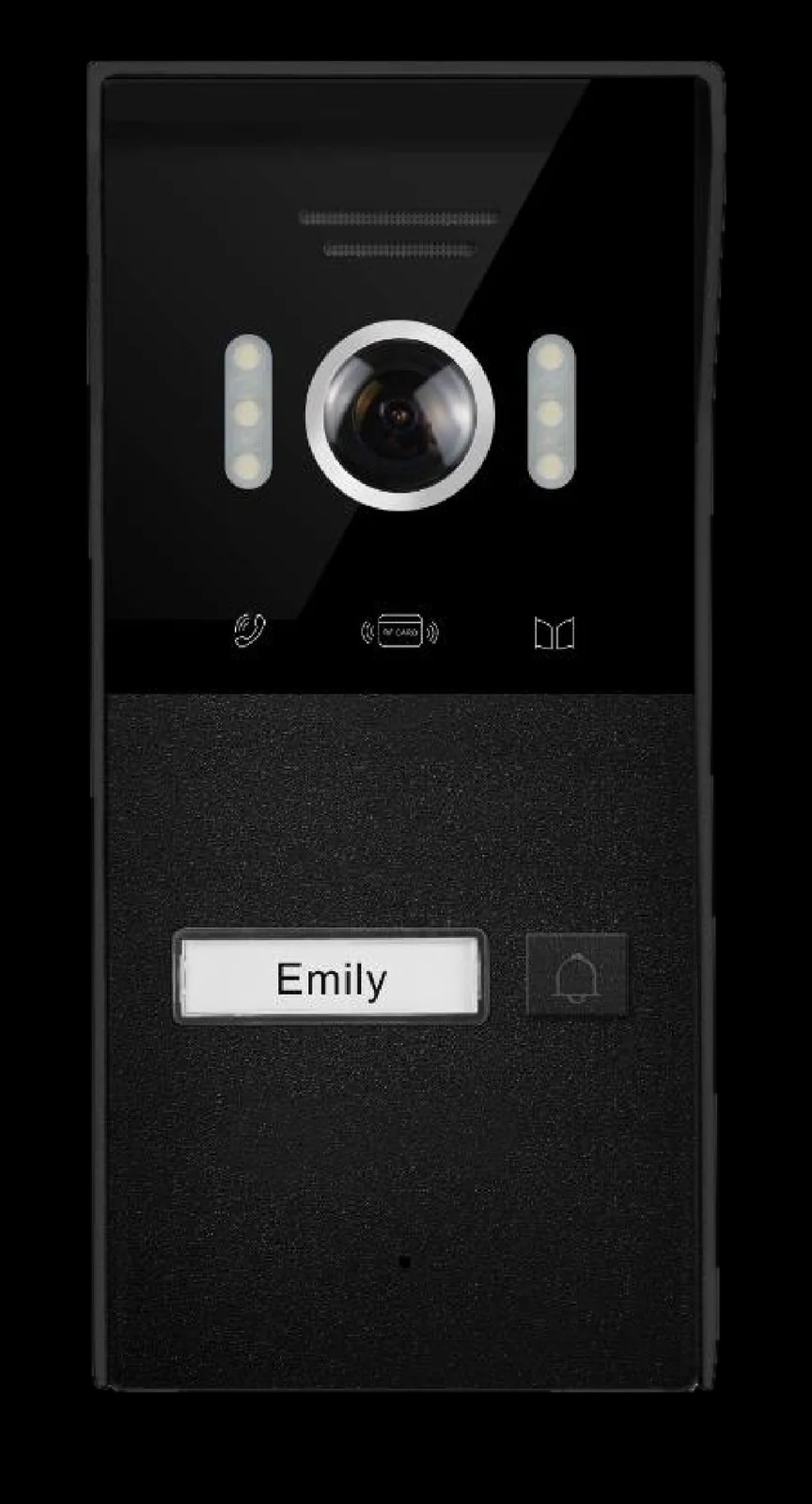
A kit is the simplest route; a separate door station lets you choose your own monitors. The Spark I-50 is a slim, single-button video door phone for homes and villas, with a 2 MP camera, a 120° view, infrared night vision and IC card unlocking. The Spark I-100 is similar, with an NFC card reader and a wide-angle lens, and is built for homes, villas and small buildings.
Both have two lock outputs for electric or magnetic locks and are set up from the indoor monitor, from cards to unlock time and motion sensitivity. A Spark partner can confirm which monitors pair with your station.
Planning a villa intercom in five steps
- 1
Pick the call point
The gate if your plot has a boundary wall, otherwise the front door, with the camera at eye level.
- 2
Pick the way in
IC cards (I-50), NFC cards (I-100), Face ID (S-303) or the app (any kit).
- 3
Plan the cable
Cat5 or Cat5e of under 50 m to the monitor, and RVV 2×1.0 of under 10 m to each lock.
- 4
Plan the power
A PoE switch, or DC 12 to 15 V for the I-50 and I-100 and DC 24 V for the kits.
- 5
Place the monitors
One where you spend the day, and extra ones on other floors where your system allows.
Kits and door stations for villas
The right video intercom system for apartments
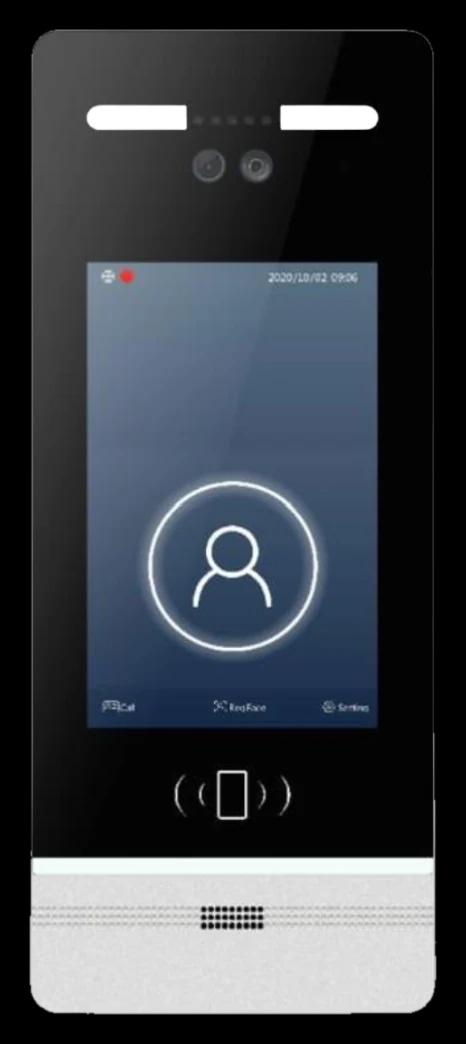
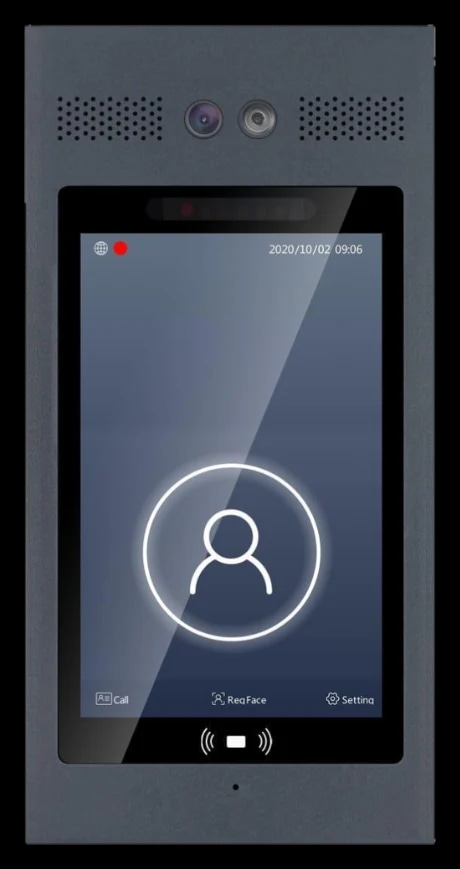
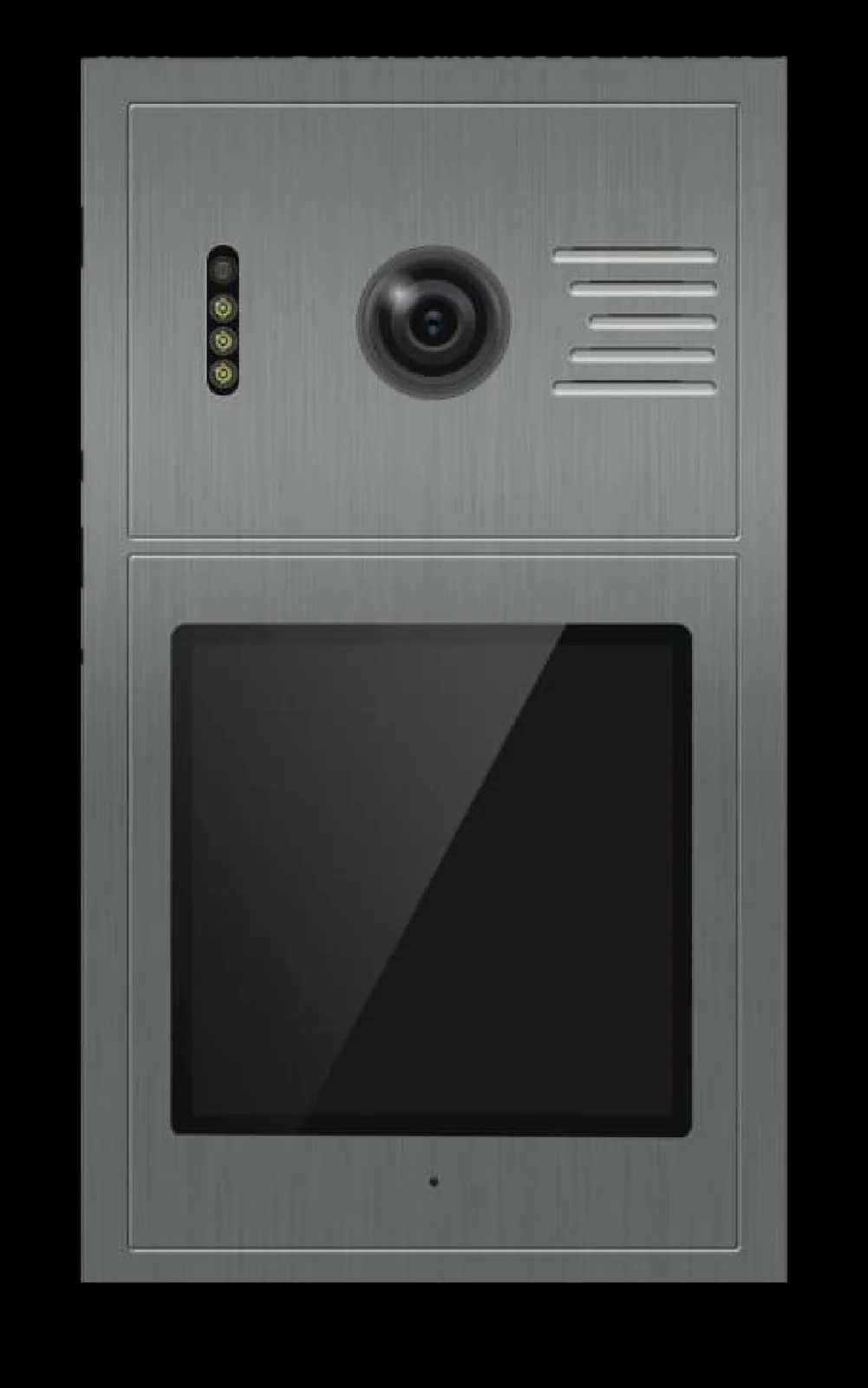
On the Spark I-500, made for building entrances, visitors tap Call, enter a room number or pick a name from an imported list, and reach that flat's indoor monitor with live video and full-duplex audio. The resident can open the door during the call.
Residents get in by face, card, NFC or code, each switchable by the administrator. Dialling 888 or 1000 reaches the security station or management centre, which also receives tamper alarms.
The I-500 has an 8-inch or 10-inch touch screen, an IP55 and IK07 body rated from -40 °C to +65 °C, an interface that includes Arabic, and PoE over one Cat5 or Cat6 cable. The Spark I-400 lists the same features; a Spark partner can help you choose between them.
The Spark I-300 runs in villa, building or high-rise mode; in high-rise mode, visitors find residents in an on-screen list of up to 999 users, by name, room number or both. Dialling 1000 reaches the guard station.
In an apartment, your part of the system is the indoor monitor: it rings when someone calls your flat from the entrance, and lets you see, talk and open the door.
Entrance stations for apartment buildings
Choosing indoor monitors: 7, 8 or 10 inches?
All four Spark indoor monitors show the visitor with the outdoor unit's room number, talk in full duplex, unlock with a tap, watch any outdoor station at any time and save snapshots or video to an SD card. Each can also release a second lock on its own relay.
| Monitor | Screen | Features |
|---|---|---|
| Spark S-107 | 7-inch IPS | Tuya app, alarm zones, up to 100 monitors per outdoor station |
| Spark S-208 | 8-inch IPS | Tuya app, alarm zones, up to 100 monitors per outdoor station |
| Spark S-210 | 10-inch IPS | Tuya app, alarm zones, up to 100 monitors per outdoor station |
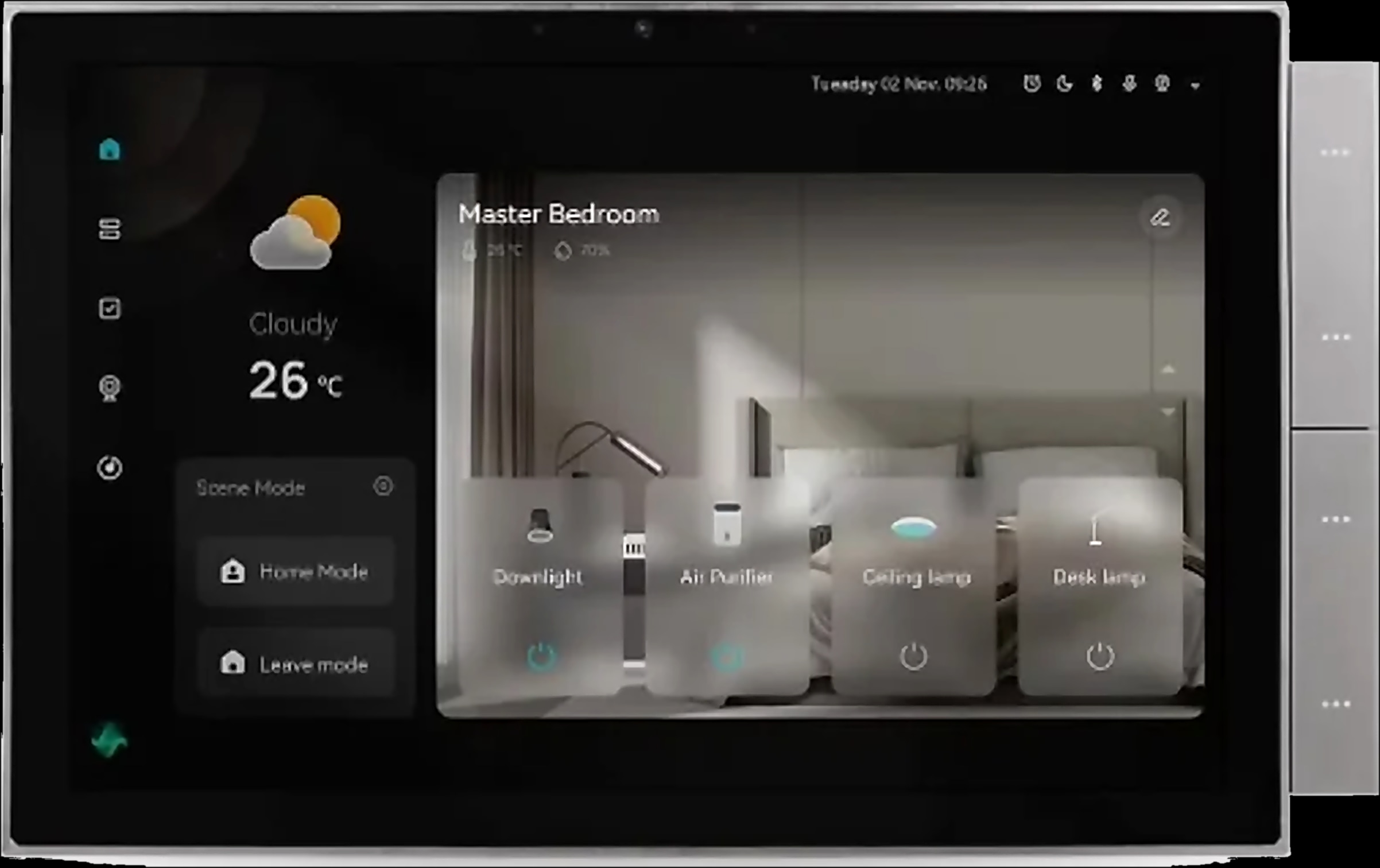
| Spark S-110 | 10-inch IPS touch | Door calls on your phone over Wi-Fi, 8 wired alarm zones, ONVIF cameras, villa or building-community mode |
A 7-inch screen suits a hallway or smaller flat; choose 10 inches where you will also watch cameras and run the alarm. Choose the S-110 if phone answering matters most (its menus include Arabic), or the S-107, S-208 or S-210 to bring the intercom into a Tuya smart home.
Face, fingerprint, card or code: how residents open the door
How people get in often decides the door station:
- Face: the I-400 and I-500 store up to 5,000 faces, with liveness detection on by default so a printed photo will not work. The S-303 kit also opens for registered faces.
- Fingerprint: the Spark I-220 stores up to 500 fingerprints and 1,000 IC cards, registered from the indoor unit, with each household's list kept separate.
- Card: IC cards on most stations and every kit, NFC on the I-100, I-400 and I-500, and 125 kHz ID cards on the I-300.
- Code: typed on the touchscreen: a six-digit public password on the I-300; a public password, a resident's own password or a one-time code from the indoor monitor on the I-400 and I-500.
- App: unlock from your phone with a kit or the S-110.
Pairing the intercom with a smart lock
The intercom releases a lock rather than replacing it: Spark stations drive electric or magnetic locks from their relay, and each kit drives one motor-operated electric lock.
For a smart lock on the front door, start with our guide to choosing a smart lock by door type. The S-107, S-208 and S-210 run Tuya natively, so smart locks paired in the Tuya app can be controlled alongside the intercom. A Spark partner can confirm the match for your door.
Smart intercom: can you answer from your phone?
Yes, with the right kit or monitor and an internet connection at home.
- Kits (S-301, S-302, S-303): pair with the Tuya or Smart Life app over Wi-Fi. When the door rings, your phone rings too: answer, watch the live camera and unlock from anywhere.
- S-110: connect it to Wi-Fi and scan the QR code on its screen. Door calls reach your phone wherever you are: talk, unlock, switch between two doors and two cameras, and replay recordings.
- S-107, S-208 and S-210: the Tuya app lets you manage intercom calls, alarm zones and settings, and review recordings.
The S-110 can be shared with several phones and every family member gets call notifications, but only the main account can unlock; shared accounts view and talk. In a building, ask a Spark partner how entrance calls reach your phone.
Questions people ask about video intercoms
Which video intercom is best for a villa?
A kit is the simplest: the S-302 over Ethernet, the S-301 over 2-wire, or the S-303 with Face ID. To pick your own monitors, start with the I-50 or I-100 door station.
What is the best intercom system for apartments?
An entrance station that calls each flat by room number: the I-500 or I-400, or the I-300 with its high-rise mode. Every flat then needs its own indoor monitor.
Can I answer my video intercom from my phone?
Yes, with an S-301, S-302 or S-303 kit through the Tuya or Smart Life app, or with the S-110 over Wi-Fi. On the S-110, only the main account can unlock.
2-wire vs IP intercom: what is the difference?
All Spark kits are IP. The S-301 is 2-wire IP, while the S-302 and S-303 are Ethernet IP on a standard network; all three use Cat5 or Cat5e of up to 50 m.
Can one intercom open the gate and the front door?
Often, yes. The I-50 and I-100 have two lock outputs, and Spark's four indoor monitors can release a second lock on their own relay. For a motorised gate, ask a Spark partner.
Where can I find an intercom system in Jordan?
Spark is a smart-home brand from Jordan, with intercoms for villas and apartment buildings. A Spark partner can confirm the right setup and cabling for your home.