

Spark I-220
Square · 1:1
Fingerprint IP video outdoor unit.
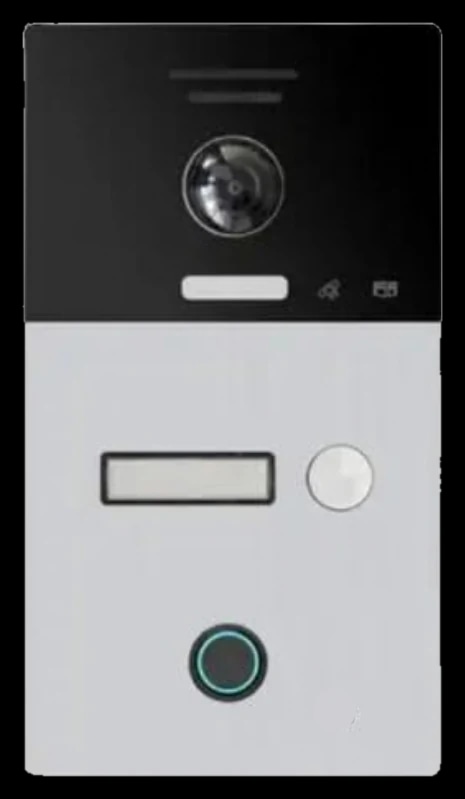
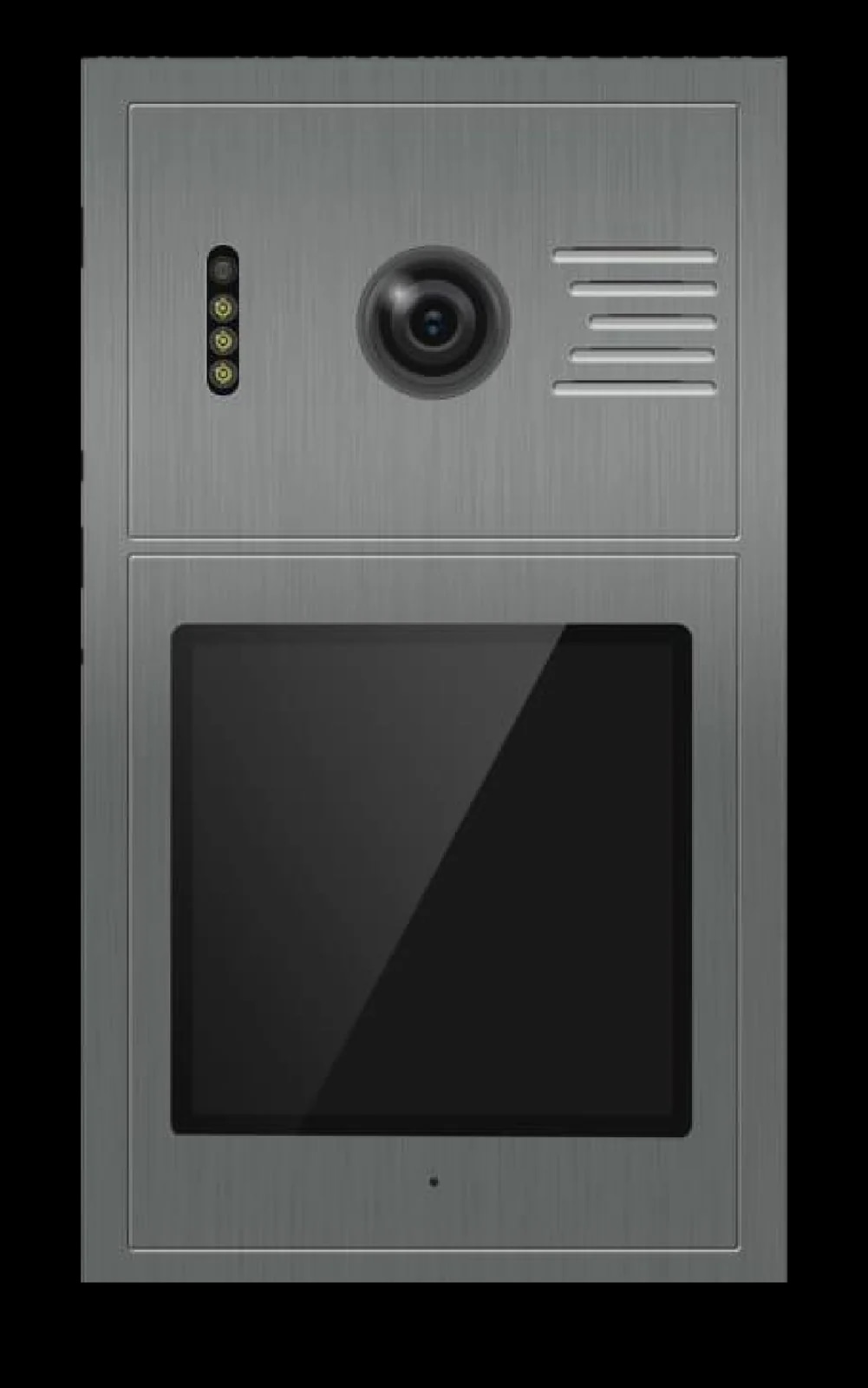
An IP video intercom outdoor unit with fingerprint and IC card unlocking, a 110° camera with a white-LED night light and full-duplex intercom. Rated IP65 and powered by PoE or DC 12 V.
500fingerprints
Registered from the indoor unit, kept separate for each household.
1,000IC cards
13.56 MHz cards, added and removed from inside.
110°camera
With a white-LED light that switches on in low light.
IP65rated
Working from -40 °C to +50 °C.
Calling and unlocking
Visitors press the call button to reach the indoor unit and talk in full duplex. The door opens from the indoor screen, with a fingerprint, with an RFID card or with an exit button.
Press the call button, then talk and listen at the same time.
Open the door from the indoor unit's screen.
Place a registered finger on the reader. Up to 500 fingerprints.
Present a 13.56 MHz IC card. Up to 1,000 cards.
Connect an exit button to open the door from inside.
A voice prompt plays when a call is not answered.
At the door
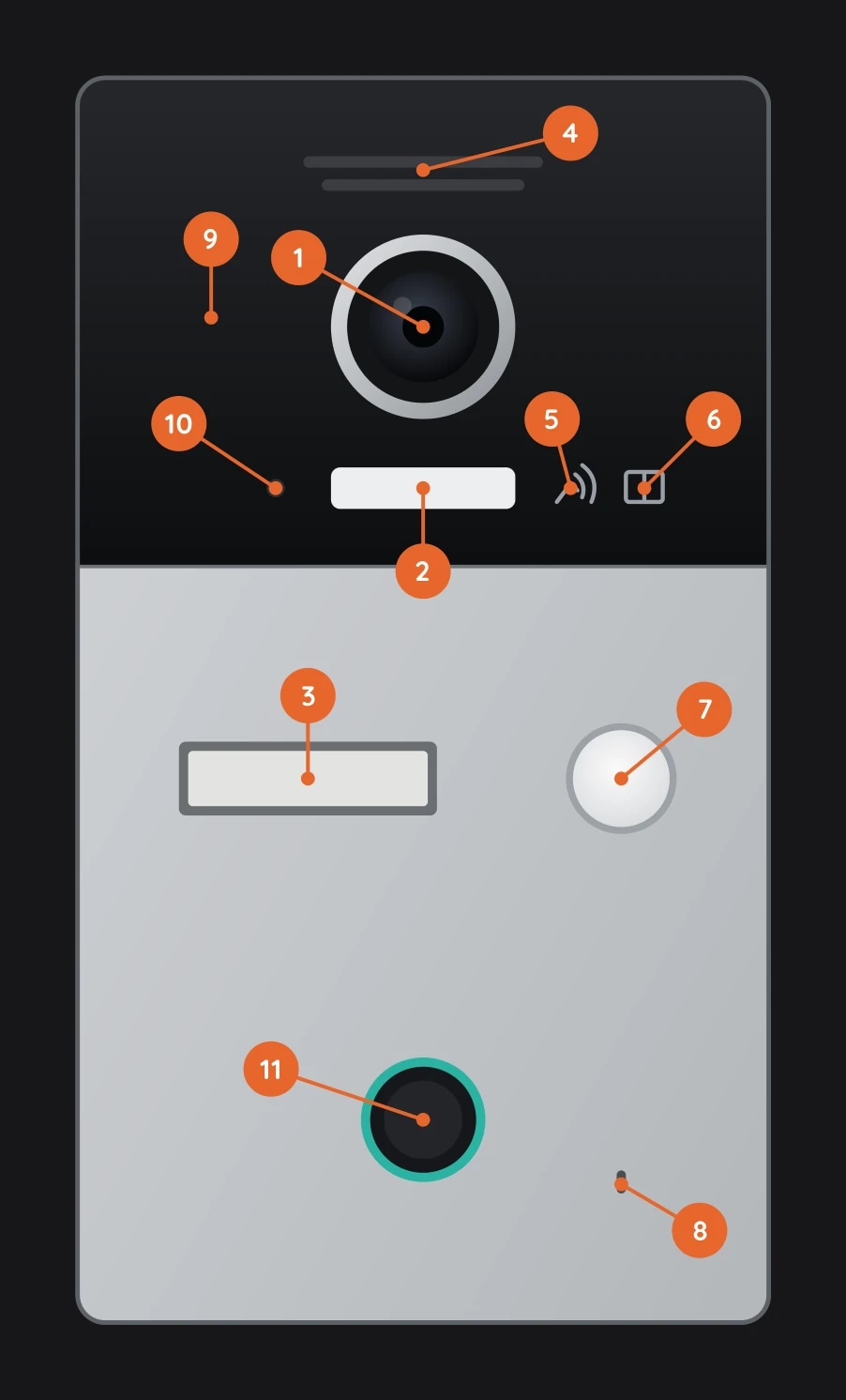
Camera and flash light, card reader and indicator LEDs sit behind the upper panel. The name plate, call button, fingerprint reader and microphone sit below.
Fingerprints and cards
The I-220 stores up to 500 fingerprints and 1,000 IC cards (13.56 MHz). Cards and fingerprints are added and deleted from the indoor unit's System Settings, and each household's list is kept separate.
Card Management and Fingerprint Management pages in the indoor unit's System Settings, opened with the project password.
Enter the room number and choose Add Mode. Present a card, or place a finger twice to register it. Two beeps confirm each one.
Pick a card or fingerprint from the list, use Delete Mode at the door, or clear a household's entries with Delete All.
Blinks slowly in card mode and quickly in fingerprint mode. Steady again in normal mode.
Adding or deleting on one indoor unit does not affect other households.
Add and delete modes exit after 30 s without a card or finger, from the indoor unit, or by pressing the call button.
System
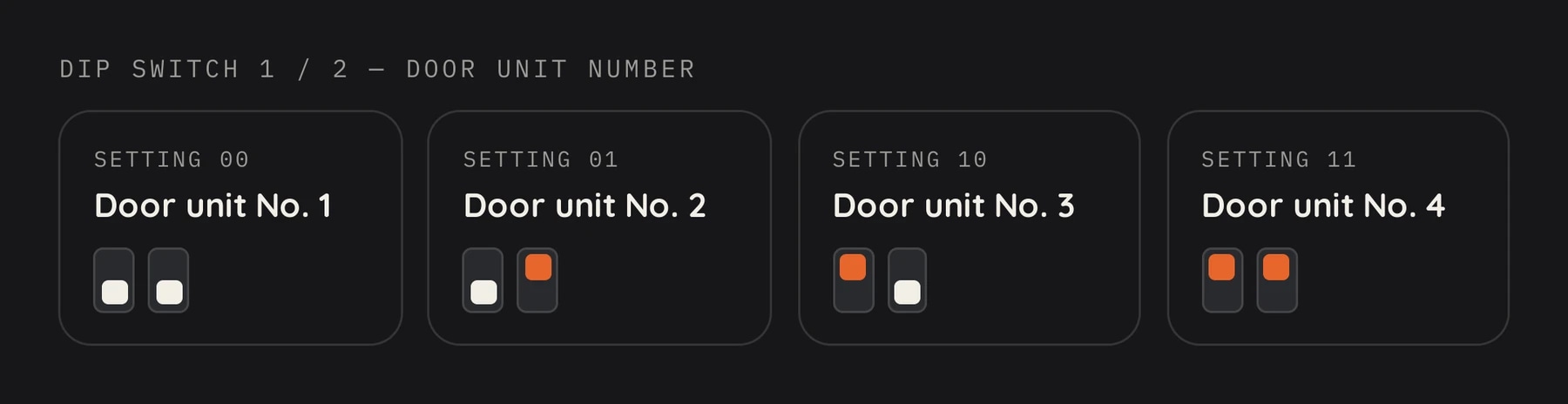
A two-position DIP switch on the back sets the door unit number, for up to four door units in one system. Up to six IP cameras can be added, and every apartment in the system can monitor them.
The indoor unit can monitor the door camera and take pictures.
In low light, the supplementary light turns on automatically during a call, monitoring or talking.
When a call is not answered, a voice prompt plays. Message time 45 s.
Ringtone time 30, 60 or 90 s. Ringtone volume 1 to 15.
Hold the reset button on the back for 10 s. Registered cards and fingerprints are kept.
IP cameras are visible from every apartment. Only one router can be connected to the whole system.
Installation
The I-220 connects over a Cat5 network cable to a PoE switch, which can also power it, or use an external DC 12 V supply. Mount it on the surface or flush in the wall.
RJ-45 port and Cat5 cable, connected through a PoE switch.
PoE, or an external DC 12 V supply. Max. 200 mA.
LOCK+ / NC / COM / NO terminals, with wiring for electric locks, magnetic locks and power-up unlocking.
CTL / DET / GND terminals for an exit button and door magnetic detection.
Both methods are shown in the manual. Plastic anchors and screws are included.
120 to 160 cm. Avoid backlight, keep 30 cm from AC power and away from TVs, DVRs, water, magnetic fields and chemicals.
Planning a home or a building? A Spark partner can specify the right I-220 for it.