Access · 9 min read
Face recognition intercom: entry by face, fingerprint or card
Which Spark door stations open by face, fingerprint, card or code, how they release the lock and the gate, and who keyless intercom entry suits.
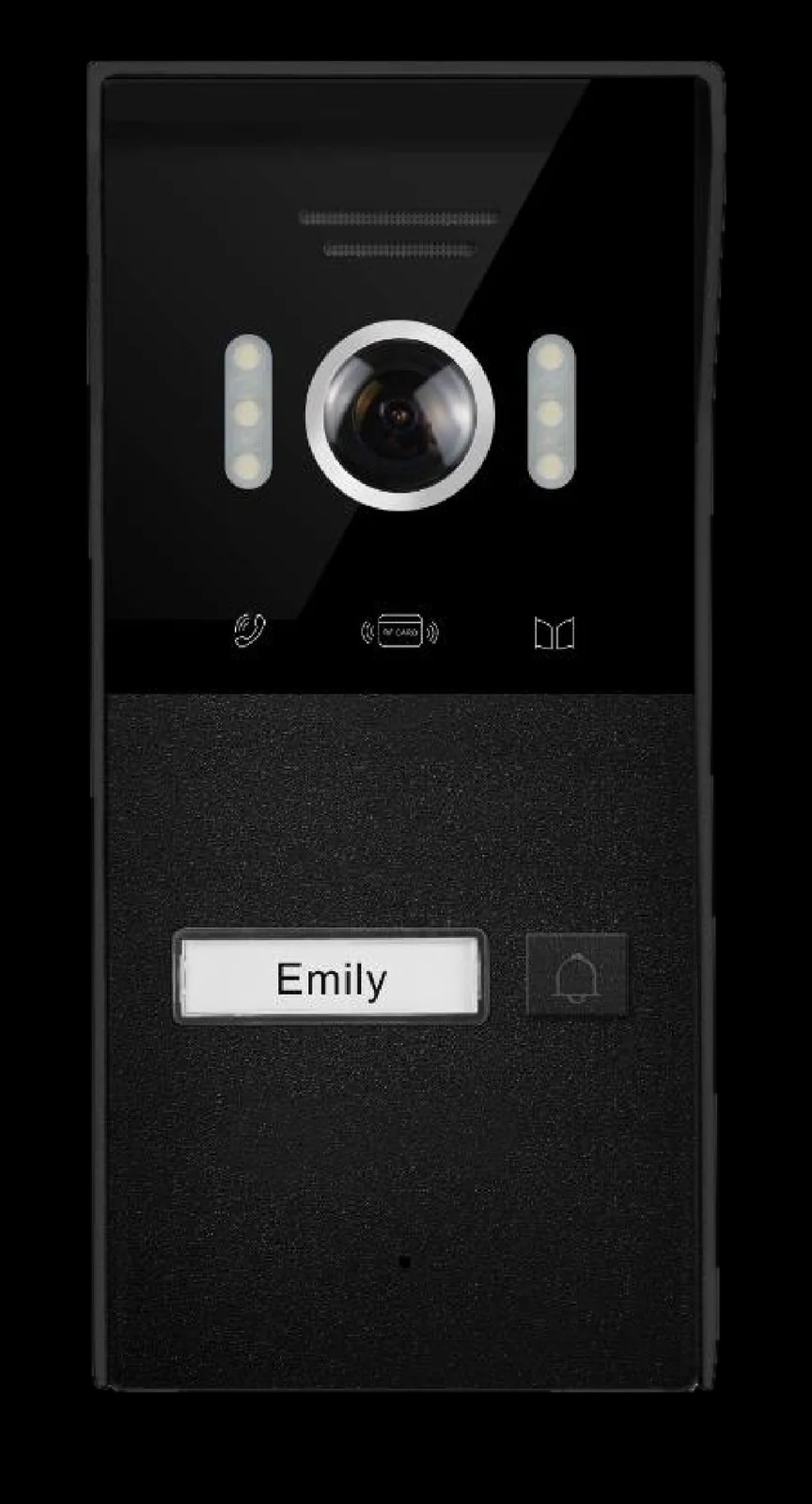
Spark I-50
Square · 1:1
IP video door station.
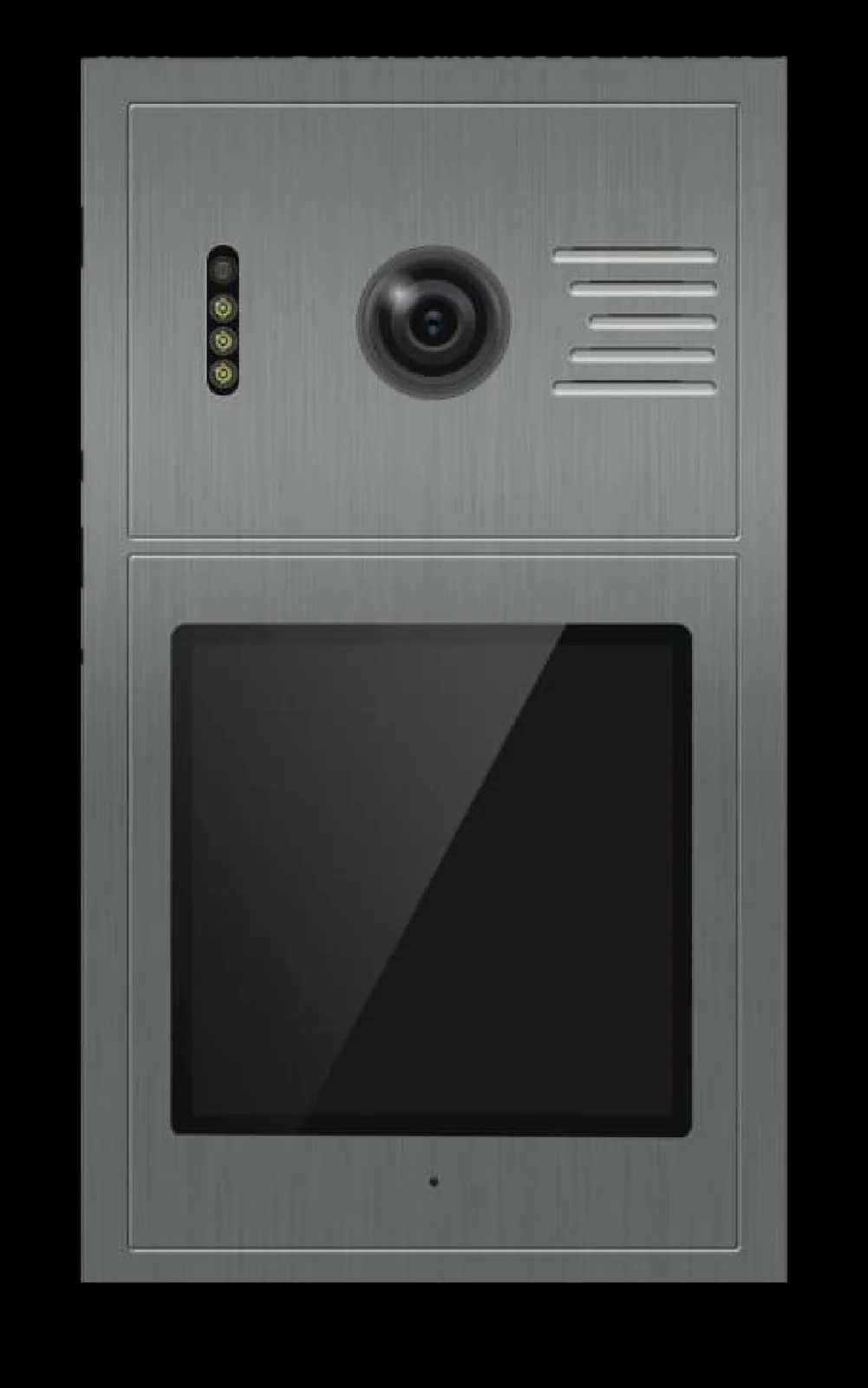
A slim, single-button door station for homes and villas. Visitors press the bell and you see them in 2 MP on your indoor monitor, talk, and open the door. Residents simply tap their card.
120°view
A 2 MP camera with a wide view of whoever is at the door.
ICcards
Tap a card to open. Cards are added and removed from the indoor monitor.
< 1.5W
Standby power, with a maximum of 300 mA at DC 15 V.
-10to +55 °C
Working temperature.
At the door
One call button, one camera, one card reader, in an ultra-thin housing that's easy to install and easy to use.
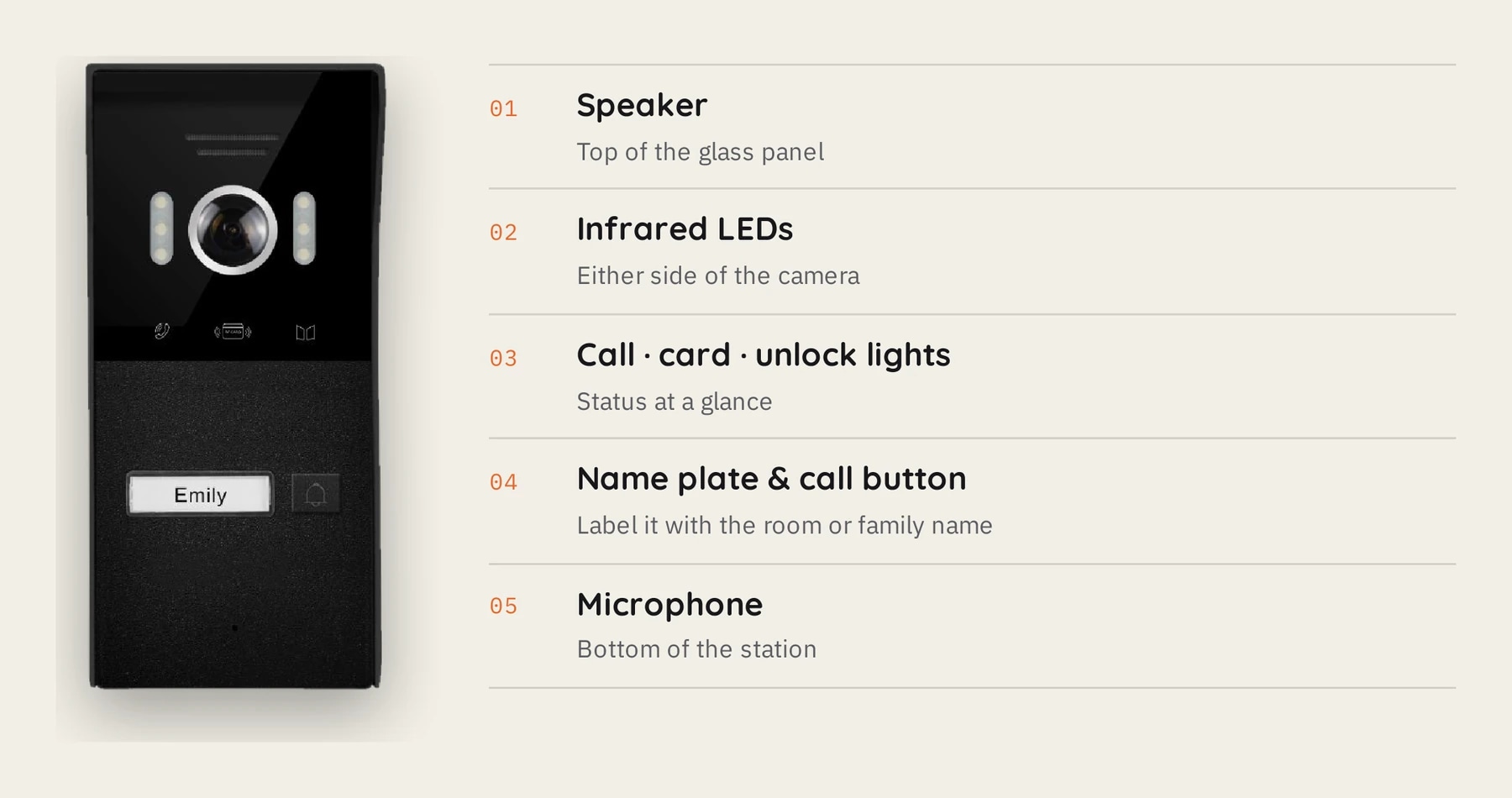
A wide view of whoever is at the door.
Infrared LEDs for clear images after dark.
Both sides speak at once, like a phone call.
Tap an IC card on the reader to open the door.
Picks up movement and people at the door.
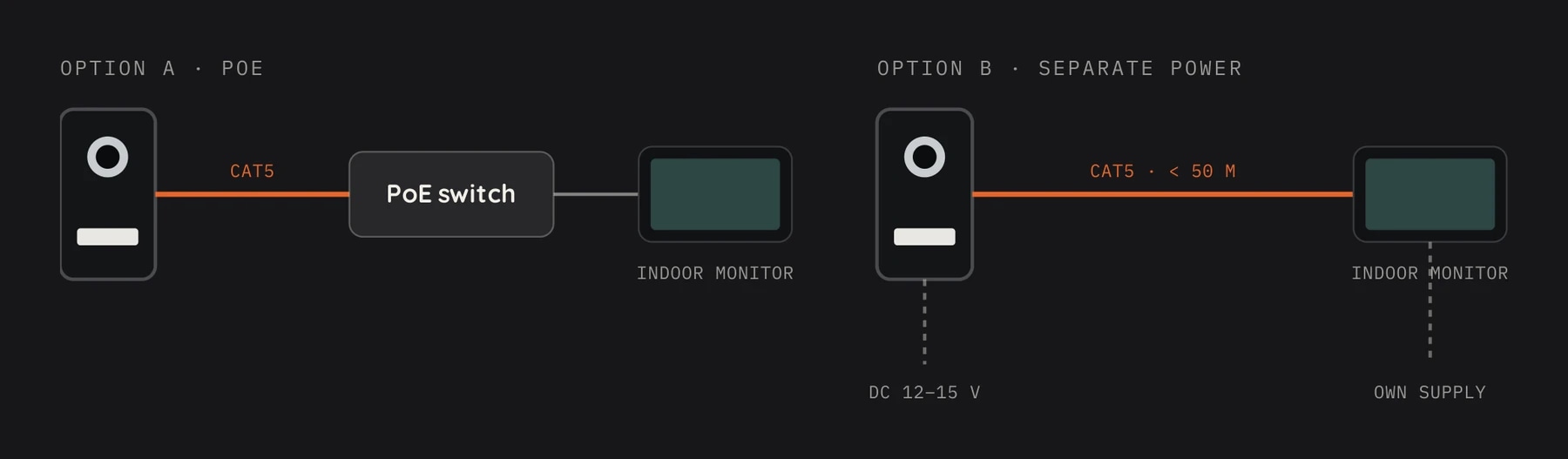
One cable for power and data, or a DC 12 to 15 V supply.
Visitor calls
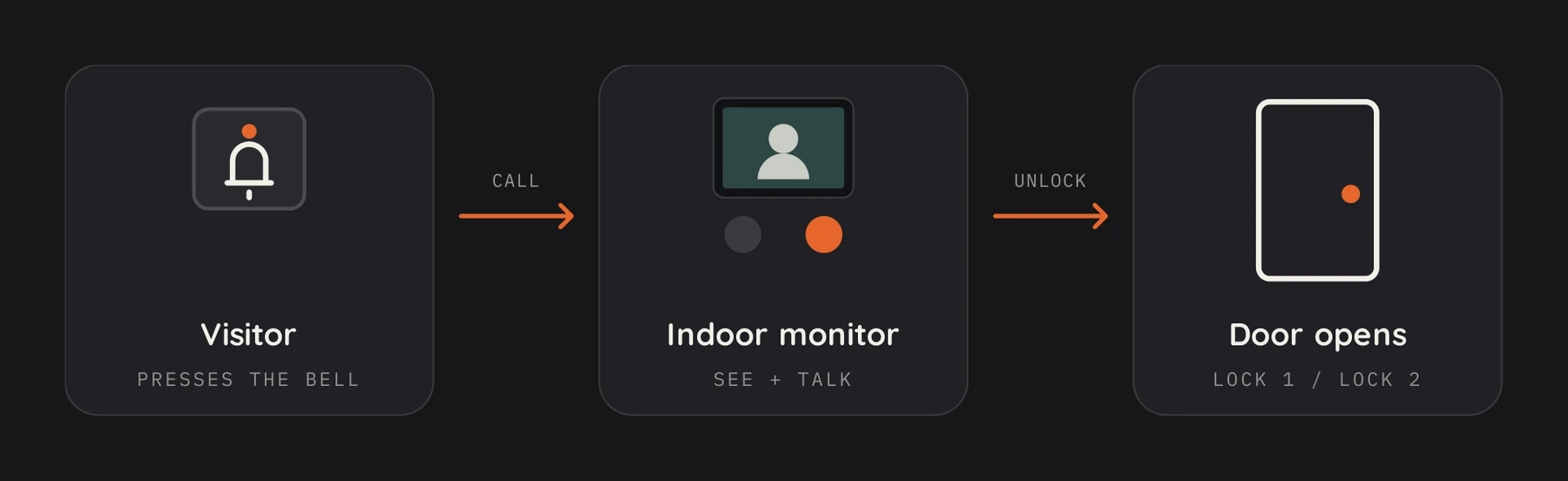
The visitor presses the call button and the indoor monitor on the same network rings. The resident sees them, talks in full duplex and taps Unlock to open the door.
2 MP camera with a 120° viewing angle.
Infrared LEDs light the scene after dark.
Detects movement and people in front of the door.
Call, card and unlock indicators show what's happening.
Cards and locks
Residents unlock with an IC card at the reader. Cards are added and removed from the indoor monitor, and deleting a card only affects that household, never the neighbours.
Put the station in add mode from the indoor monitor, then tap each new card.
Delete one card, swipe several in delete mode, or clear them all.
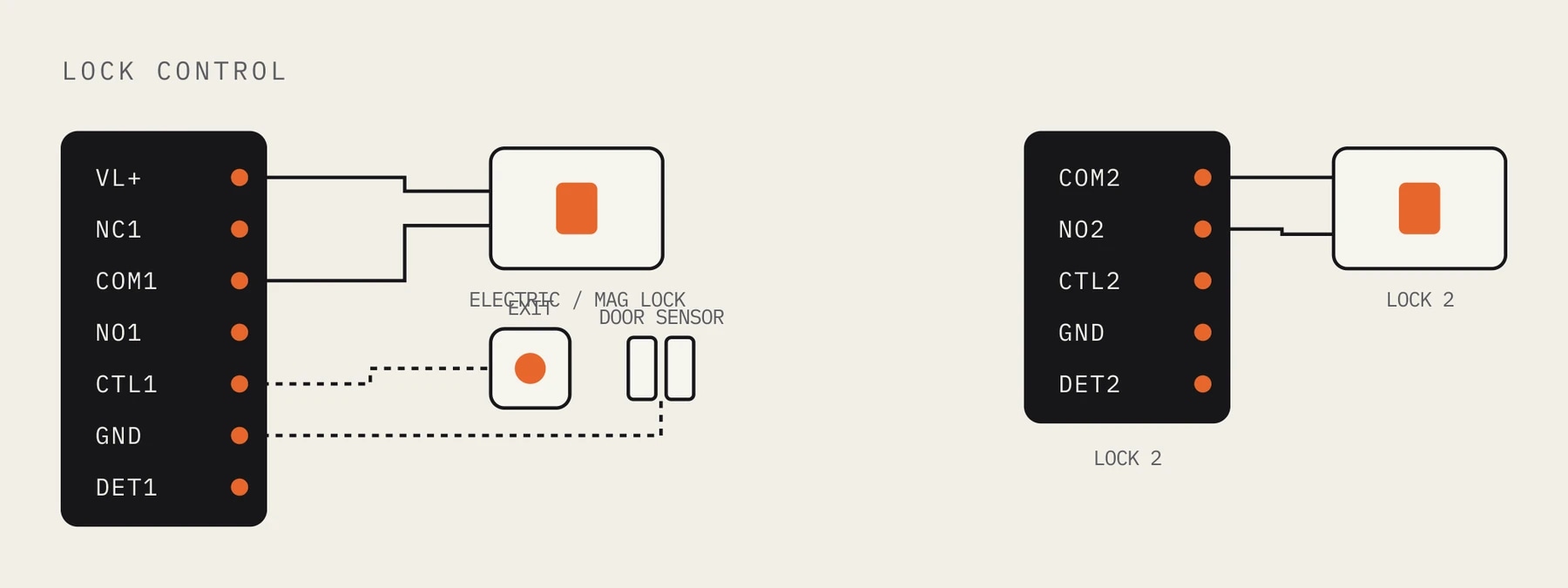
Lock 1 (NO / NC) and Lock 2, for electric or magnetic locks.
A door-release button input for each lock.
A door-contact input for each lock.
Power the lock from the station's own lock output (VL+).
Installation
Power the I-50 over PoE on the same network as the indoor monitor, or give each unit its own supply and link them with a Cat5 cable. It configures itself by DHCP.
Cat5 / Cat5e under 50 m to the indoor monitor, and RVV 2×1.0 under 10 m for the lock.
Surface mount with the wall bracket, camera at eye level.
Unlock time, ring and call volume and motion sensitivity are set from the indoor monitor.
RJ45 port, volume adjustment and a factory reset button.
Answers to the questions people ask before they choose.
Access · 9 min read
Which Spark door stations open by face, fingerprint, card or code, how they release the lock and the gate, and who keyless intercom entry suits.
Access · 9 min read
How 2-wire and Ethernet IP video intercoms differ in cable, power and distance, which Spark kit fits your walls, and how to replace an old intercom.
Access · 10 min read
Which Spark smart locks have a built-in camera and an inside screen, what they share, and when a video intercom is still the better choice.
Planning a home or a building? A Spark partner can specify the right I-50 for it.