The short answer
Keep the switch and fit a smart module in the wall box behind it. The Spark ZR-50 (Zigbee) or WR-50 (Wi-Fi) switch module puts one to four lighting circuits on the app, voice and timers while your switches keep working, and the ZR-60 or WR-60 adds dimming for dimmable LED lamps. Every Spark wall-box module needs a neutral wire, so a qualified electrician checks the box first.
On this page
How to make a normal light switch smart: what goes in the wall box
Leave the switch on the wall and add the intelligence behind it. A small smart relay goes into the wall box, between the switch and the light, and from then on the module does the switching: from the wall switch as before, and also from the app, by voice and on timers.
Spark makes these modules for three jobs, all listed among the Spark relay modules: switching lights, dimming LED lights and running curtain motors. Each comes in a Zigbee version (ZR) and a Wi-Fi version (WR).
- The switch stays. Same plate, same keys. Existing switches continue to work, including supported two-way arrangements.
- Each circuit gains an app and timers. Switch individual circuits from your phone, and let schedules turn lights on and off.
- Voice comes with it. The ZR-50 works with Alexa and Google Home through a compatible Zigbee hub; the WR-50 offers Alexa and Google Home control.
- The module stays out of sight. At 39.2 × 39.2 × 18 mm, the ZR-50 and WR-50 sit in the box behind the switch, when the box has room.
It suits you when you like your switches, when the walls are finished, or when only a few rooms need to be smart for now.
Smart switch neutral wire: why the module needs one
A smart module needs a neutral wire in the wall box because, unlike a normal switch, it is a small powered device. Every Spark wall-box module (ZR-50, WR-50, ZR-60, WR-60, ZR-55 and WR-55) lists the neutral as required.
In plain terms: a traditional switch only interrupts the live wire on its way to the lamp. It needs no power of its own, so in many homes the live wire is the only one in the switch box, and the neutral, the return path of the circuit, runs straight to the light fitting.
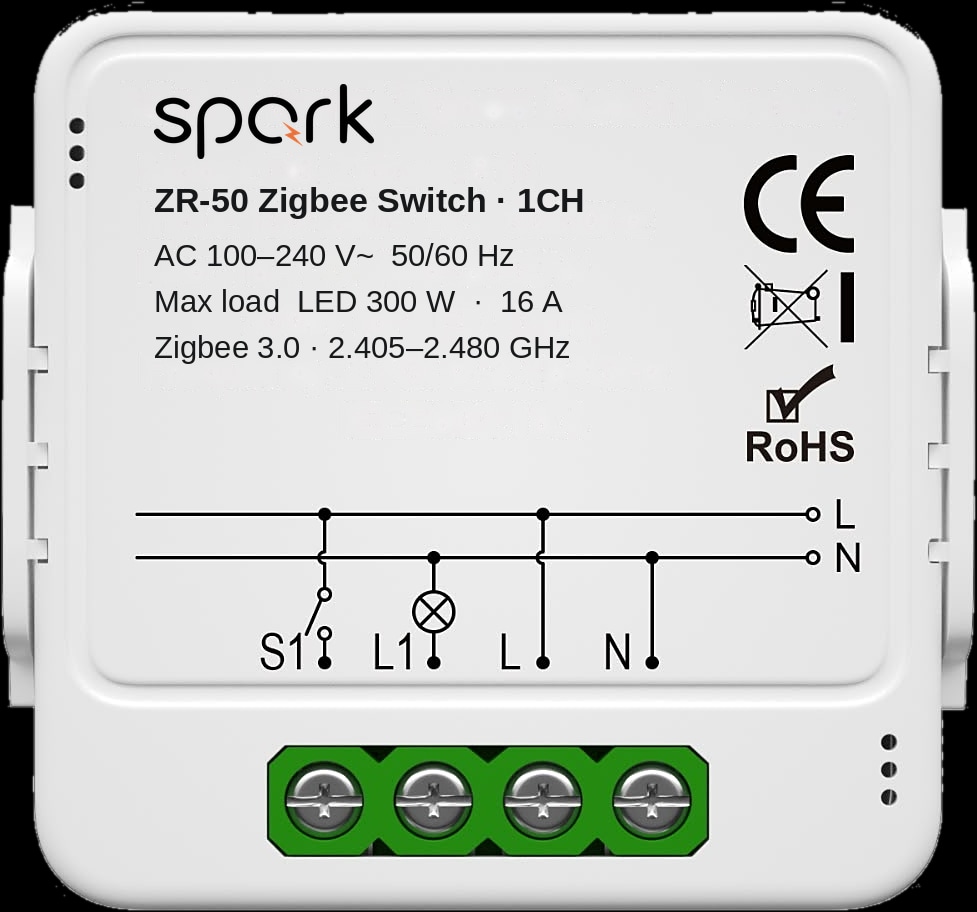
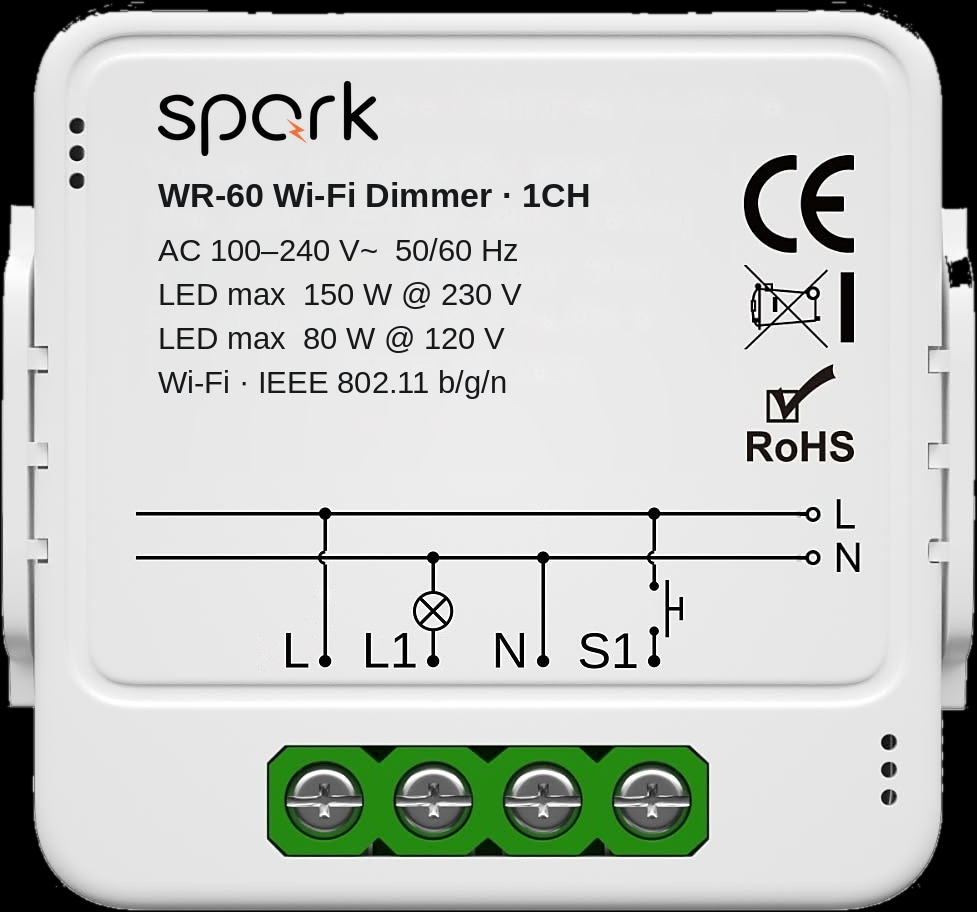
A smart module's radio stays on to hear the app, voice and timers even while the light is off, so it needs a constant supply: live and neutral together. That is why the 1CH ZR-50 has terminals for L (live) and N (neutral) as well as the lamp (L1) and the switch (S1).
You can't tell from the switch plate, and the answer can change from room to room, so have each box checked before you buy.
Smart switch without neutral: what are your options?
If a box has no neutral, a Spark module can't go in it as it stands. That is the honest answer to the search for a smart switch without neutral: every Spark wall-box module requires one. It doesn't end the plan for that room, though:
- Bring a neutral to the box. Where the cable route allows it, an electrician may be able to add one, and the module then fits as normal.
- Replace the switch. A Spark partner can confirm what the Spark smart switches need in that particular box before you choose one.
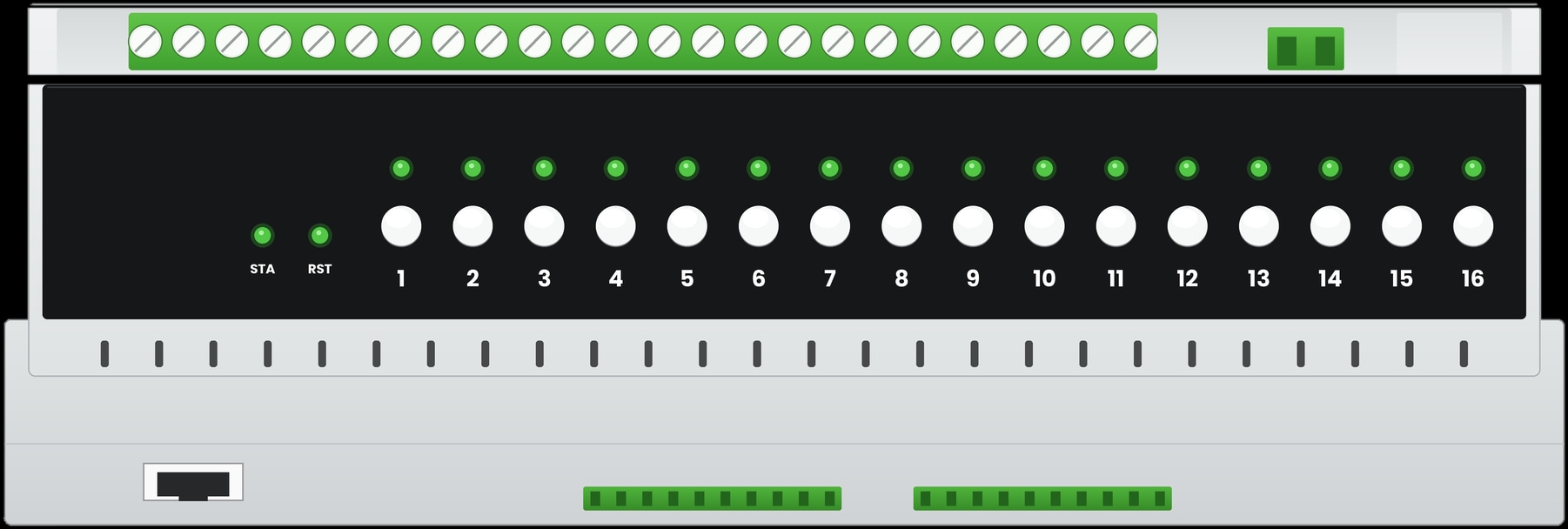
- Switch the circuit at the board. Where cables are being re-run anyway, the Spark 16-CH Relay can switch circuits in the distribution board and accepts ordinary rocker switches as inputs. Whether that suits your walls is the electrician's call.
Decide box by box. A home can mix modules behind old switches with new smart switches elsewhere.
Zigbee switch module or Wi-Fi switch module: ZR-50 or WR-50?
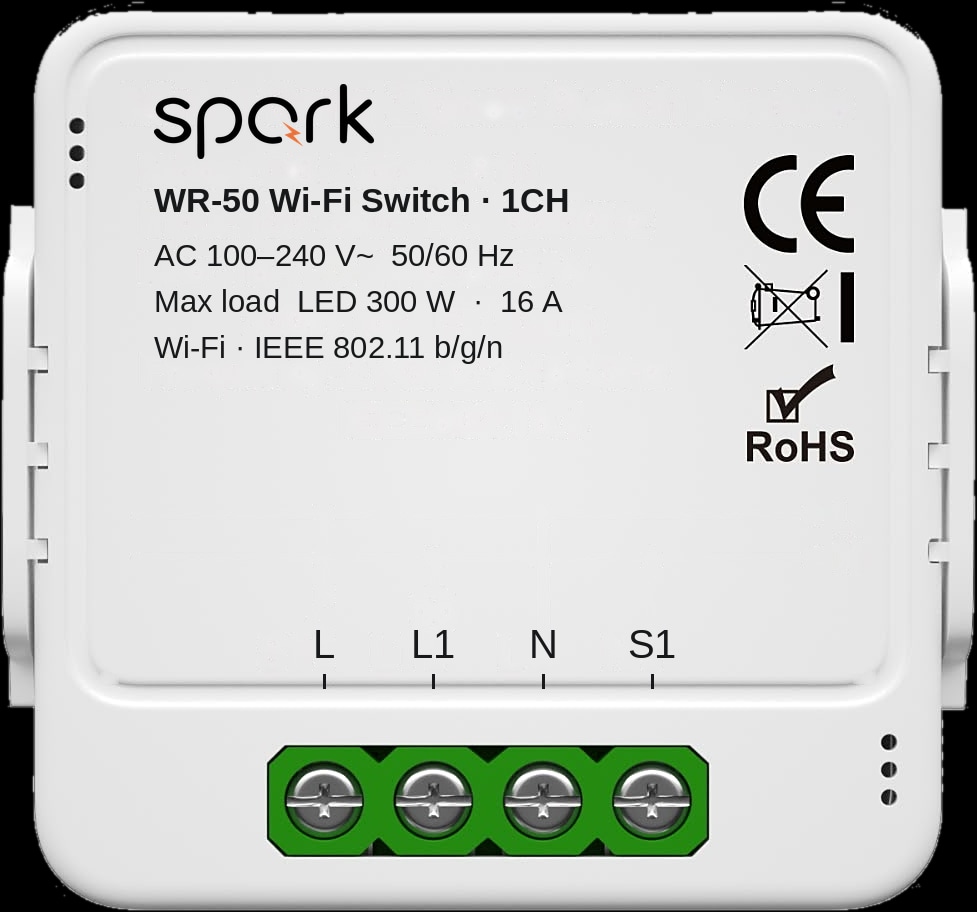
Both do the same job with the same versions, loads and body size; only the connection differs. The ZR-50 pairs through a compatible Zigbee gateway, and the WR-50 connects straight to your home 2.4 GHz Wi-Fi.
Spark's Zigbee gateways are the Hub-Z Zigbee gateway and the one built into every Spark control panel; a Spark partner confirms the pairing for your modules. Zigbee keeps devices off the router's Wi-Fi, which helps with many circuits, while Wi-Fi is simple for a few circuits where the signal reaches the box. Our guide to Zigbee vs Wi-Fi smart switches goes deeper.
How many channels do you need?
One channel for each key on the switch and its lighting circuit. Load limits vary by version, so the electrician checks each circuit against these figures.
| Version | Lighting circuits | Maximum LED load | Maximum current | Behind a switch such as |
|---|---|---|---|---|
| 1CH | One | 300 W | 16 A | 1 gang: corridor or bathroom |
| 2CH | Two | 2 × 150 W | 2 × 5 A | 2 gang: ceiling light and bedside lamp |
| 3CH | Three | 3 × 150 W | 3 × 3.3 A | 3 gang: pendant, spotlights, wall lights |
| 4CH | Four | 4 × 150 W | 4 × 2.5 A | 4 gang: hall, stairs and porch |
Smart dimmer module: add dimming behind the switch you keep
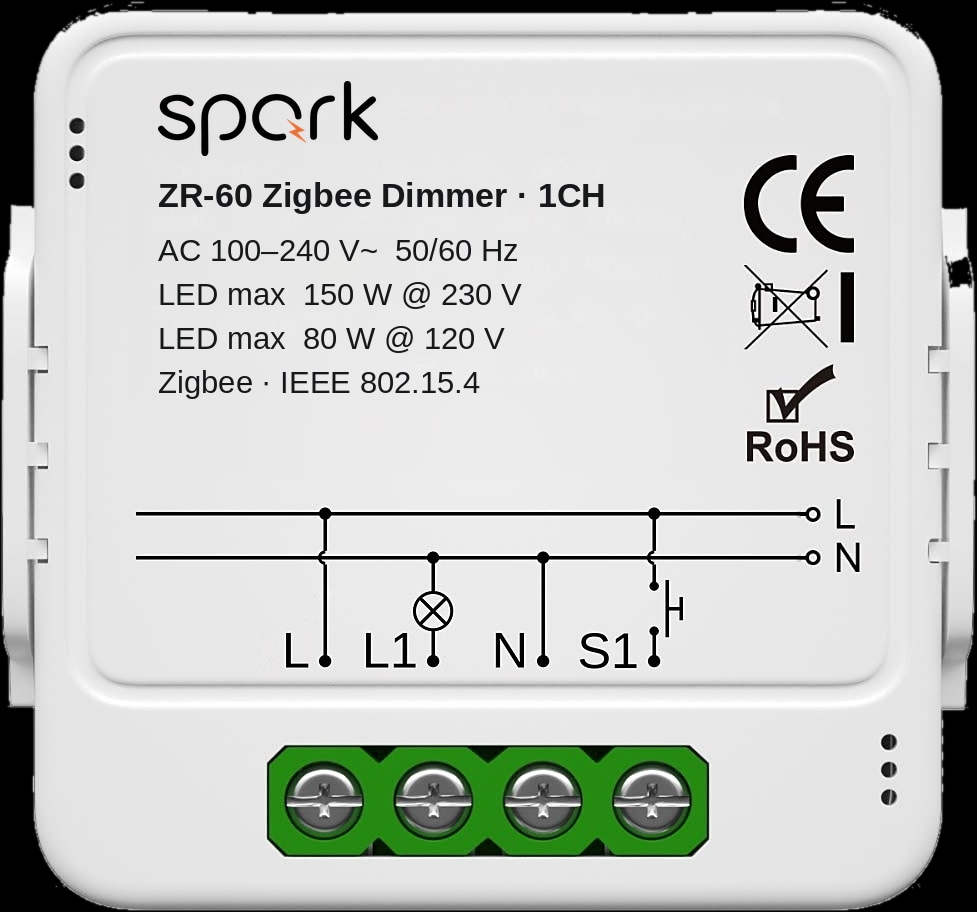
To dim a light without changing the switch, fit the ZR-60 Zigbee dimmer or the WR-60 Wi-Fi dimmer behind it. Both dim dimmable LED lamps steplessly from 0 to 100%, through the app or a compatible voice assistant, and the wall switch stays.
The brochure's examples: 10% for a soft glow at night, 30% for watching TV, 100% for full brightness. The 1CH version dims one circuit; the 2CH dims two independently, such as the ceiling light and wall lights of one living room.
At 230 V, the mains voltage in Jordan, the 1CH handles up to 150 W of LED lighting and the 2CH up to 2 × 100 W. At 120 V the limits are 80 W and 2 × 60 W.
Modules that keep your switches
Will my existing switch still work? Two-way switches and curtains
Yes. With a Spark switch or dimmer module behind it, the wall switch keeps working, and the app, voice and timers become extra ways to control the same circuit.
The brochures show three ways to connect the ZR-50, WR-50, ZR-60 and WR-60: one switch per circuit, two-way switching, and no wall switch at all. Two-way means a light switched from two places, such as both ends of a staircase; the electrician checks your arrangement against the diagrams.
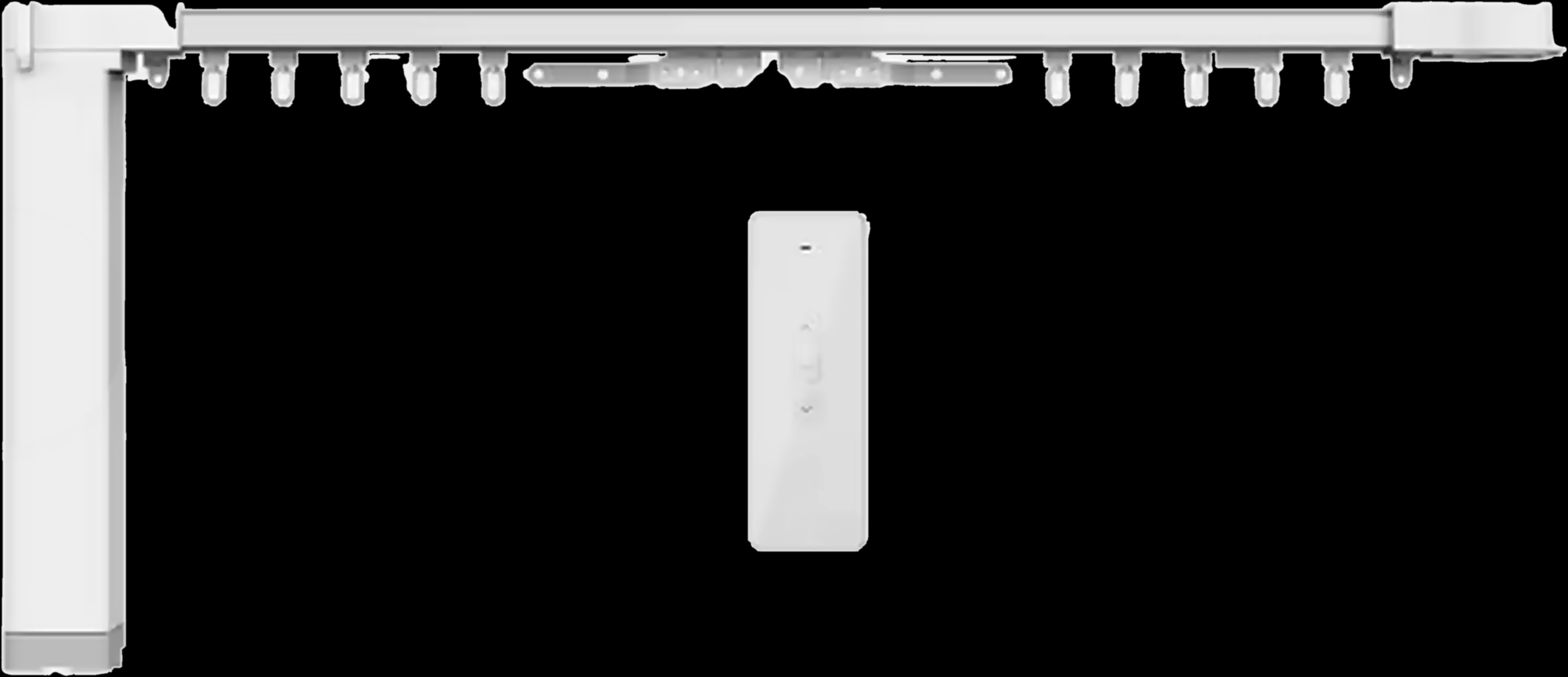
Curtains and roller shutters that already have a motor work the same way from the wall box, with the ZR-55 Zigbee curtain module or the WR-55 Wi-Fi curtain module; our guide to smart curtain motors, track or tubular covers them.
Convert an existing switch to smart, step by step
Plan room by room before anyone opens a box. This is the order an experienced installer follows.
- 1
Count the circuits
Note the keys on each switch and the lights each one controls. That sets the version: 1CH to 4CH, or 1CH or 2CH for dimming.
- 2
Choose the lights to dim
Dimming needs a ZR-60 or WR-60 and dimmable LED lamps. Every other circuit takes a ZR-50 or WR-50.
- 3
Have the boxes checked
A qualified electrician checks each box for a neutral, for room behind the switch and for two-way wiring.
- 4
Choose Zigbee or Wi-Fi
Zigbee modules need a compatible Zigbee gateway, so plan where it goes. Wi-Fi modules need 2.4 GHz Wi-Fi at every box.
- 5
Install with the power off
The electrician switches off the circuit power and wires each module following the brochure diagrams.
- 6
Pair and name each circuit
Add the modules in the app and name every circuit by room and light, so voice and schedules are easy to set.
- 7
Test, then set timers
Press every wall switch, try the app and voice, then add schedules, such as the porch lights in the evening.
When to replace the switch, or move the switching to the board
Replace the switch instead when you want new plates, an LED on every key, or the room is being renovated. Spark's smart switches cover lights, curtains and shutters.
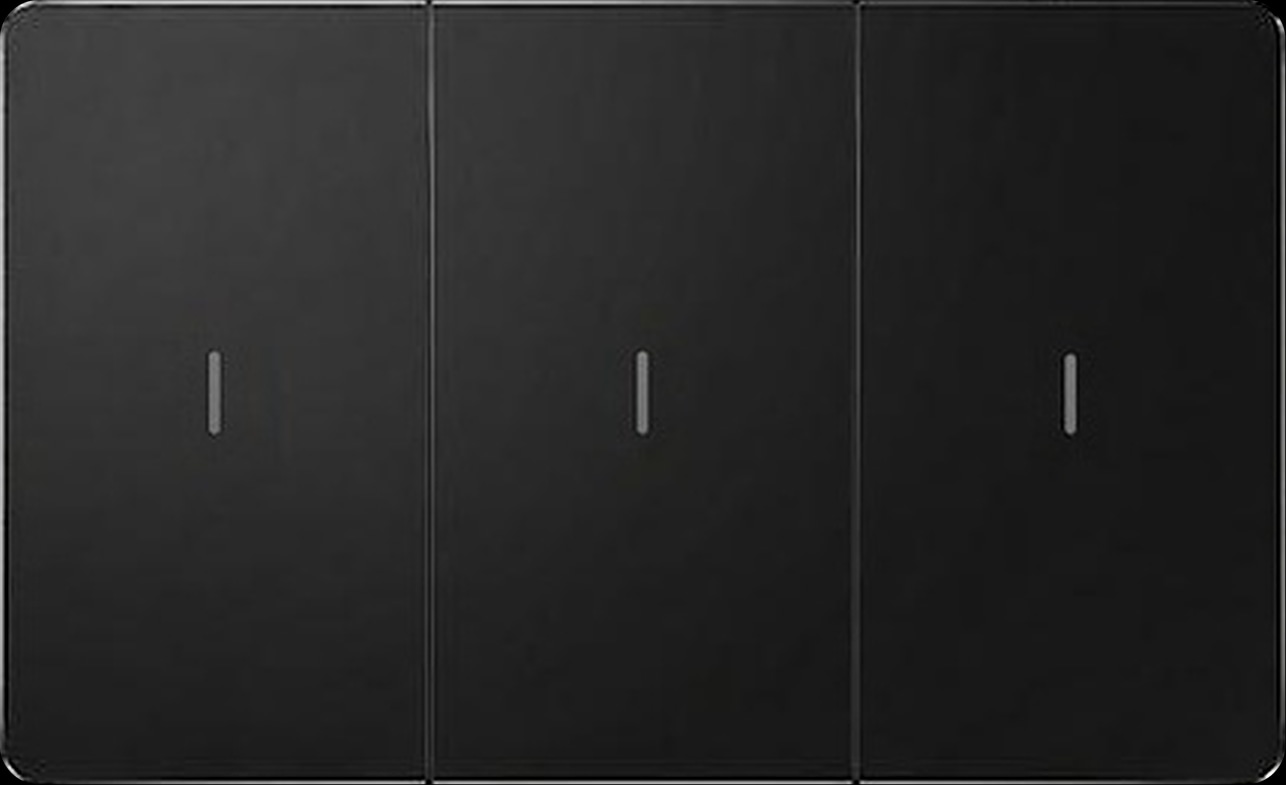
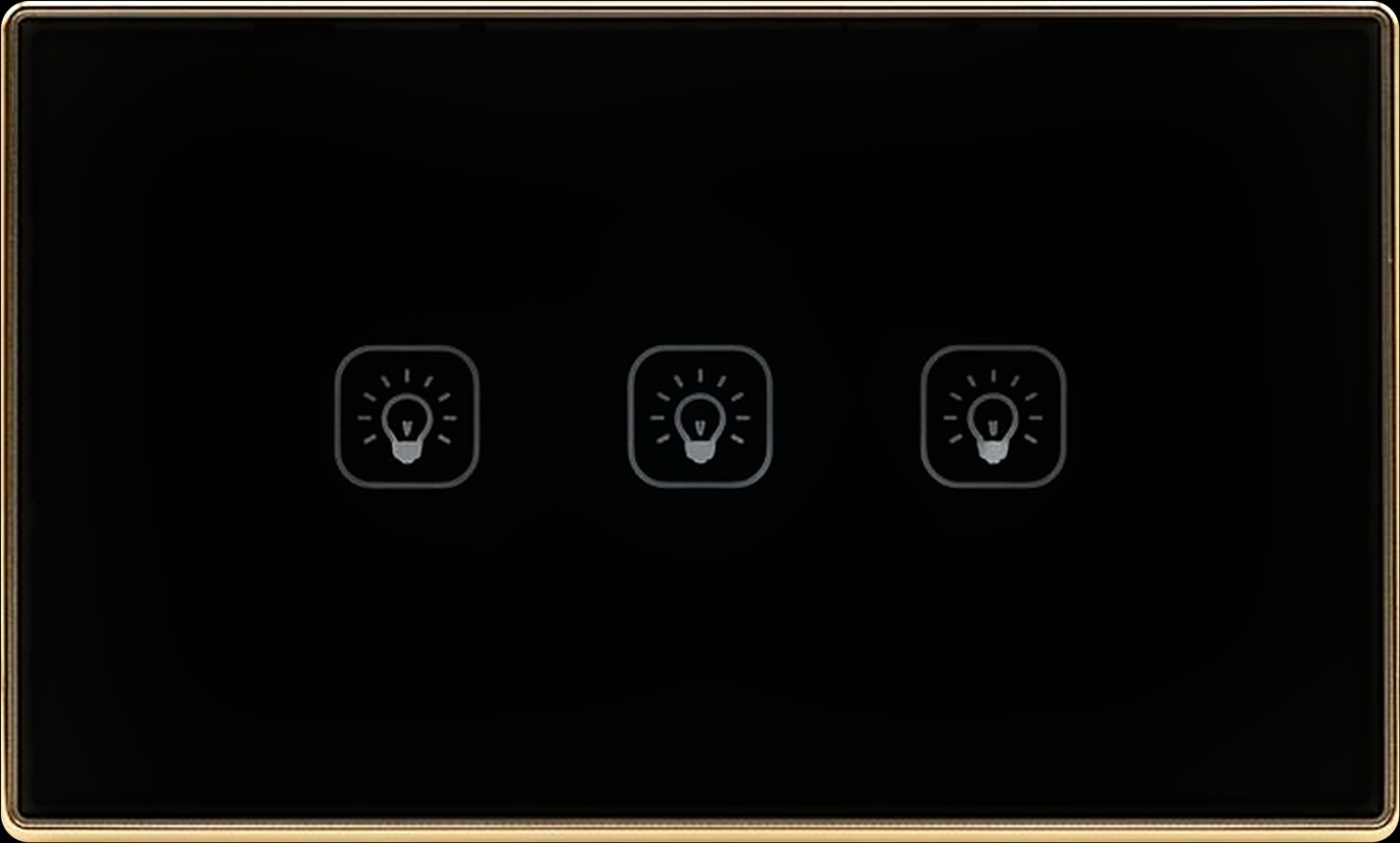
The ZM-100-B has real mechanical keys, an LED indicator on each key and a 16 A rating. The ZT-50-B (Zigbee) and WT-50-B (Wi-Fi) are touch switches with a flat glass-look panel. All three come in 1 to 4 gang, in black, with white versions available.
For many circuits in a new build or a full renovation, move the switching to the distribution board. The 16-CH Relay puts sixteen circuits in one DIN-rail module, with 50 A magnetic latching relays on channels 1 to 4 and 16 A relays on channels 5 to 16, in Zigbee 3.0 or Wi-Fi, and takes RS485 panels or wired switches as inputs.
| Option | Best when | Spark products | What gets checked first |
|---|---|---|---|
| Module behind the existing switch | You like your switches; the walls are finished | ZR-50, WR-50, ZR-60, WR-60 | A neutral and room in each box |
| New smart switch | You want new plates, mechanical or touch | ZM-100-B, ZT-50-B, WT-50-B | The box wiring, confirmed by a Spark partner |
| Relay in the distribution board | Many circuits, new build or full renovation | 16-CH Relay | DIN-rail space and cable routes |
Replace the switch or switch at the board
Questions people ask about making normal switches smart
Can I make my existing light switch smart without replacing it?
Yes. A module such as the Spark ZR-50 or WR-50 fits in the wall box behind your switch. The switch keeps working, and each circuit gains app, voice and timer control, as long as the box has a neutral and room for the module.
Do smart switch modules need a neutral wire?
Spark's do. The ZR-50, WR-50, ZR-60, WR-60, ZR-55 and WR-55 all require a neutral in the wall box, because the module needs a constant supply. An electrician checks each box first.
How do I know if my switch box has a neutral?
You can't tell from the plate. An electrician switches off the circuit, opens the box and checks; the answer can differ between rooms. Don't open the box yourself.
Does a Zigbee switch module need a hub?
Yes. The ZR-50, ZR-60 and ZR-55 pair through a compatible Zigbee gateway; Spark's are the Hub-Z and the control panels, and a Spark partner confirms the pairing. The WR models join your home 2.4 GHz Wi-Fi instead.
Can a smart dimmer module dim any LED bulb?
No. The ZR-60 and WR-60 dim dimmable LED lamps only, so check every lamp on the circuit first. At 230 V the 1CH handles up to 150 W and the 2CH up to 2 × 100 W.
Will a smart module fit in my wall box?
The ZR-50 and WR-50 measure 39.2 × 39.2 × 18 mm and fit in the wall box behind the switch. Boxes differ, so the electrician confirms the space while checking for the neutral.