The short answer
Yes. Every Spark switch is a real switch before it is a smart one: pressing it never waits for an app, a server or the Wi-Fi. Pair Zigbee switches such as the Spark ZM-100-B or ZT-50-B with the Hub-Z gateway and local scenes between Zigbee devices keep running when the internet is down. Control from outside the home and voice assistants need the internet.
On this page
What keeps working in a smart home without internet?
If you want a smart light switch that works without internet, start with the switch itself. Every Spark switch is a real switch before it is a smart one, and pressing it never waits for an app, a server or the Wi-Fi.
That holds for every switch in the Spark switches and keypads range: mechanical or touch, Zigbee or Wi-Fi, lights or curtains. While the internet is down, you can count on:
- Every light key on the wall. Each key still switches its own lighting circuit.
- Curtains and shutters. Spark curtain and shutter switches still open and close their motors from the wall.
- Local Zigbee scenes. With the Hub-Z gateway, scenes between Zigbee devices keep running, such as lighting the hall when a compatible door sensor sees the door open.
Which smart home features need the internet?
Some features need a connection by nature, because the command travels over the internet. They pause during an outage and return with it:
- Control from outside the home, such as switching lights from the office or while you travel.
- Voice assistants such as Alexa or Google Home.
What about Wi-Fi switches? The WT-50-B Wi-Fi touch switch is still a real switch, so its keys work at the wall during an outage. If you also want to know how its app behaves on your home network without internet, a Spark partner can confirm it for your setup.
Smart switch Zigbee vs Wi-Fi: which should you choose?
Both kinds of Spark switch keep working at the wall. The difference is how they connect: the ZM-100-B (mechanical keys) and the ZT-50-B Zigbee touch switch join a Zigbee network through a gateway such as the Hub-Z, while the WT-50-B connects directly to your home Wi-Fi.
| Switch | Keys | Connects through | Internet down | Local scenes |
|---|---|---|---|---|
| ZM-100-B, Zigbee | Mechanical, LED on each key, rated 16 A | A Zigbee gateway such as the Hub-Z | Keys still switch the lights | Yes, through the Hub-Z, also offline |
| ZT-50-B, Zigbee | Touch, flat glass-look panel | A Zigbee gateway such as the Hub-Z | Keys still switch the lights | Yes, through the Hub-Z, also offline |
| WT-50-B, Wi-Fi | Touch, flat glass-look panel | Your home Wi-Fi, directly | Keys still switch the lights | Not part of the Hub-Z's local scenes |
Choose Zigbee for a whole villa or apartment, for scenes that keep running during an outage, or if you plan to add compatible Zigbee curtains, sensors or thermostats later. The Hub-Z keeps these devices on their own network, off your router's Wi-Fi, and its Ethernet version supports up to 128 sub-devices.
Choose Wi-Fi for smart switches in a few rooms without a gateway, where your Wi-Fi reaches every switch position.
Looking for a Tuya Zigbee smart switch? Spark ZT and ZM switches are listed among the compatible Tuya Zigbee devices for the Hub-Z, which works with the Tuya Smart and Smart Life apps.
The switches and gateway compared here
Local control in a smart home: scenes on the Hub-Z
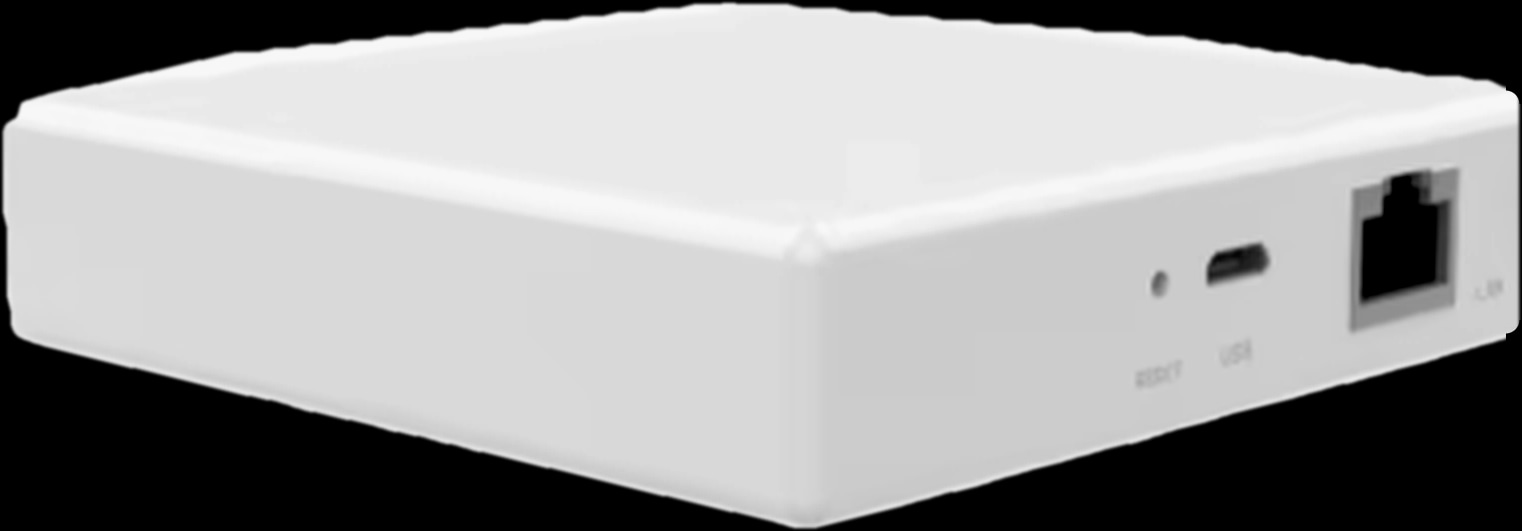
Local control means the decision is made inside your home, not on a distant server. In a Spark Zigbee system that is the job of the Hub-Z, part of the Spark hubs range. It sits between your router and your Zigbee devices, and local scenes between those devices keep running through it when the internet is down.
You set scenes up in the Tuya Smart app from device triggers and schedules. The brochure's examples turn the heating on from a temperature sensor, light the hall when a door opens and open the curtains on a schedule. Spark ZT and ZM switches on the same network can be part of scenes like these.
- Ethernet version: cable to the router, up to 128 sub-devices, 90 × 90 × 23 mm, powered through USB Type-C.
- Wireless version: joins your home Wi-Fi and can sit anywhere within its range, with power.
Mechanical keys or a smart touch switch?
Both key types are real switches, so this is a choice of feel and look, not of reliability.
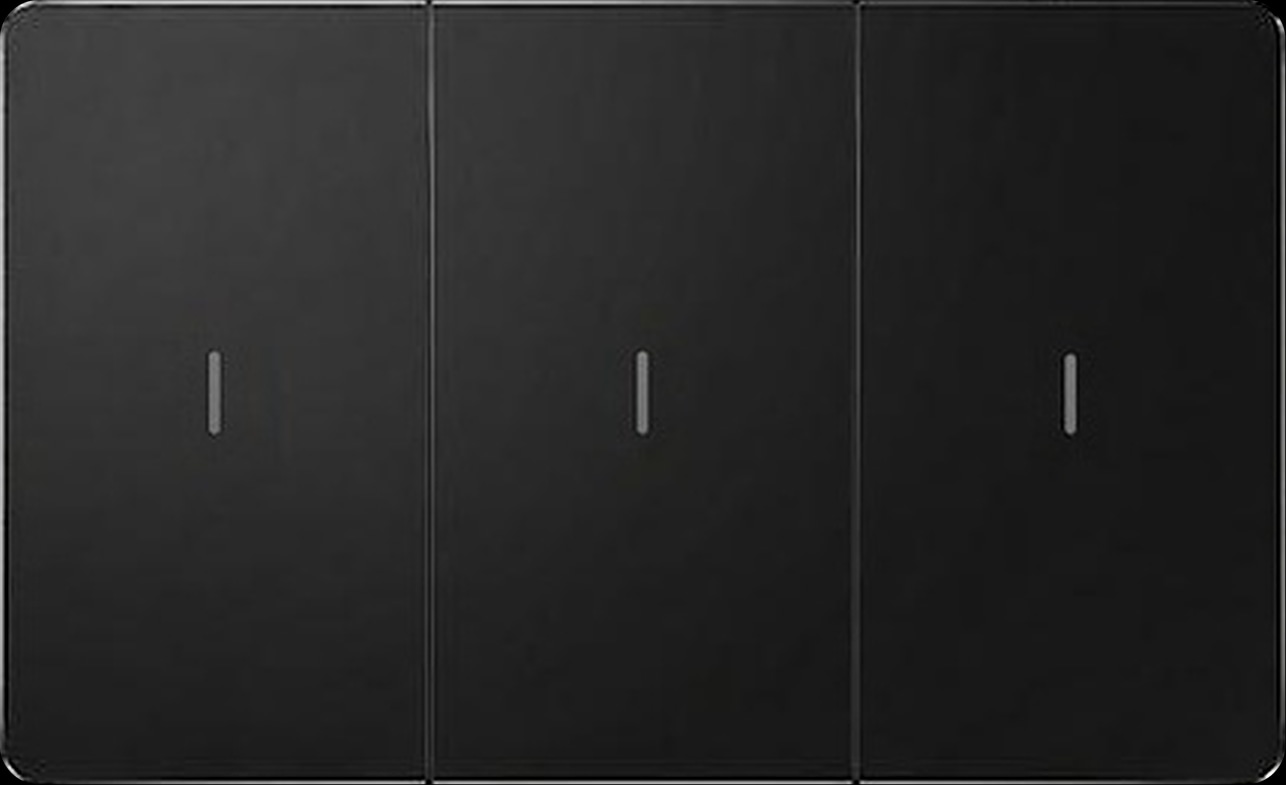
Mechanical keys. The ZM-100-B gives you a real physical press, like the switch you already know, with black keys, a slim silver edge and an LED indicator on every key. It is rated 16 A, and a white version is also available.
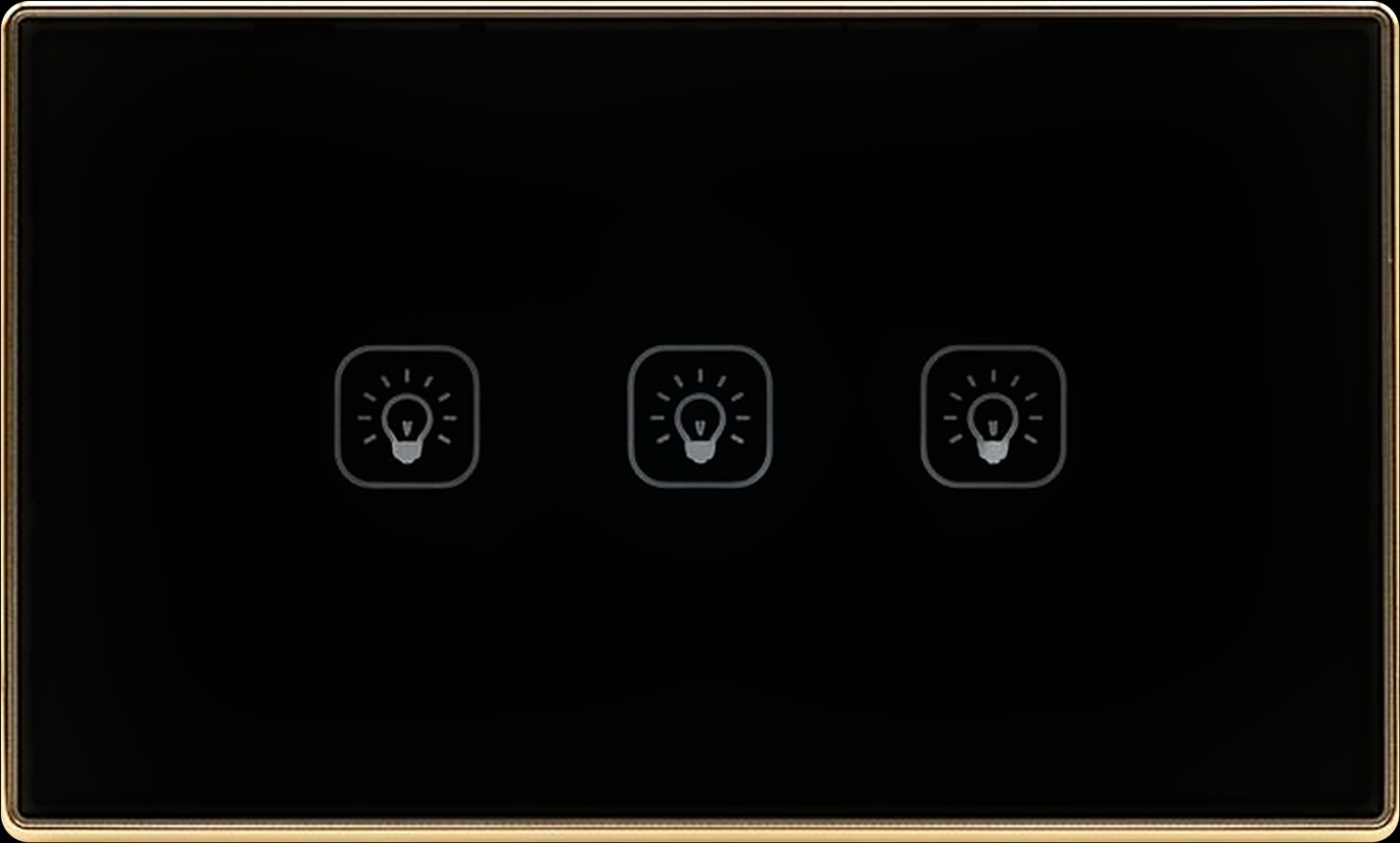
Touch keys. The ZT-50-B (Zigbee) and WT-50-B (Wi-Fi) are smart touch switches: a flat glass-look panel with a clear symbol on every key. The B versions are black with a gold frame, and white versions are available.
All three come in 1 to 4 gang, one key per lighting circuit: 1 gang for a corridor or bathroom, 2 gang by the bed, 3 gang for a living room and 4 gang for the hall, stairs and entrance.
Curtain and shutter switches
For motorised curtains and window shutters, the 3-key versions open, stop and close one motor, and the 4-key versions control two motors, such as a curtain and a shutter.
| Switch | Keys | Network | What it controls |
|---|---|---|---|
| ZM-110-B | Mechanical, LED on each key, rated 16 A | Zigbee | 3 key: one motor. 4 key: two motors |
| ZT-60-B | Touch, glass-look panel | Zigbee | 3 key: one motor. 4 key: two motors |
| WT-60-B | Touch, glass-look panel | Wi-Fi | 3 key: one motor. 4 key: two motors |
| WT-55-B | 4 touch keys, glass-look panel | Wi-Fi | Two lighting circuits and one shutter or curtain motor |
Keep your existing switches: relay modules and the neutral wire
Like the switches you have? Keep them. A relay module fits in the wall box behind the existing switch and makes the circuit smart.
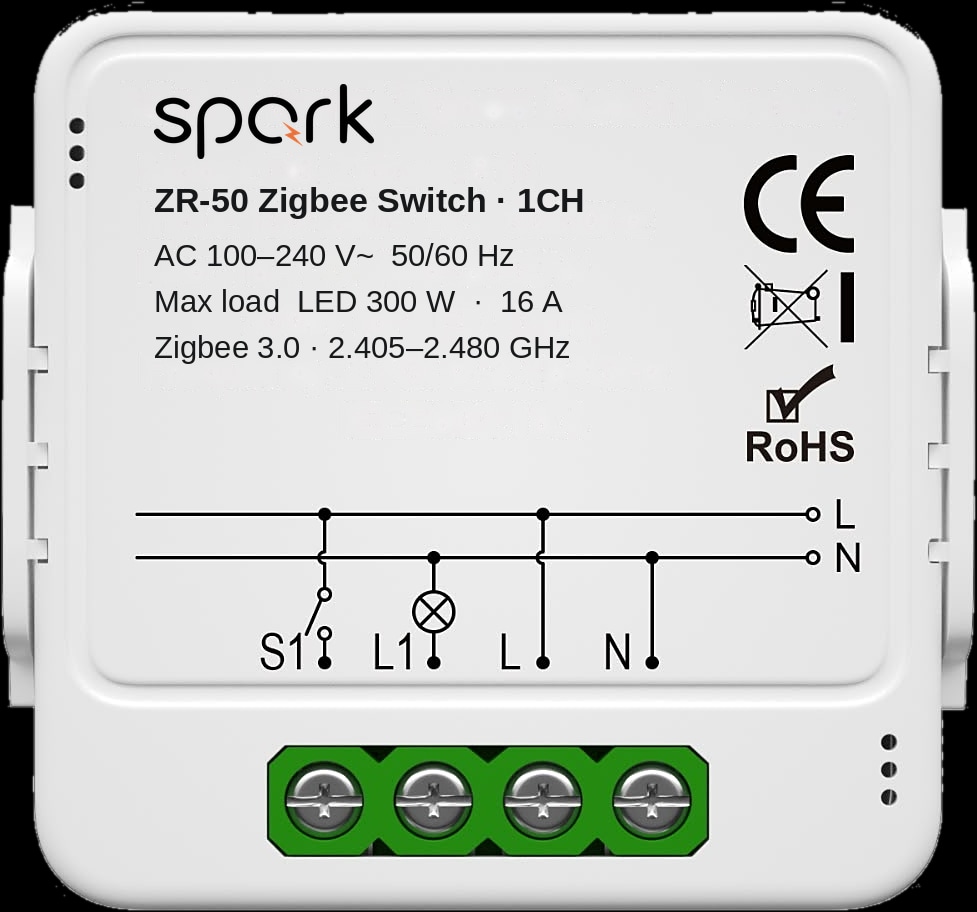
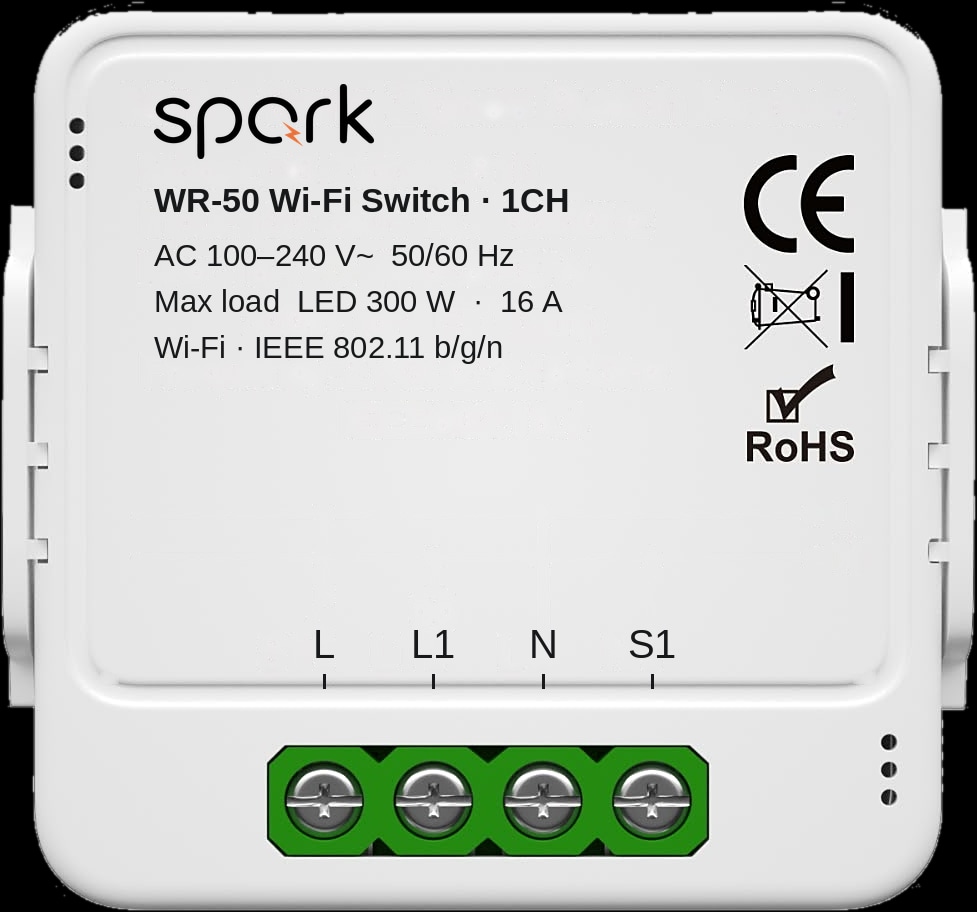
The ZR-50 Zigbee switch module pairs through a compatible Zigbee gateway, and the WR-50 Wi-Fi switch module connects to your home 2.4 GHz Wi-Fi. Both come in 1, 2, 3 or 4 channels, one per lighting circuit, and add app, voice and timer control while your existing switches continue to work, including supported two-way arrangements.
The neutral wire matters. Both modules require a neutral wire in the wall box. If you were hoping for a smart switch without neutral, check each box first: where there is no neutral, these modules are not the right choice, and a Spark partner can advise on that room.
For the whole board: the 16-channel relay
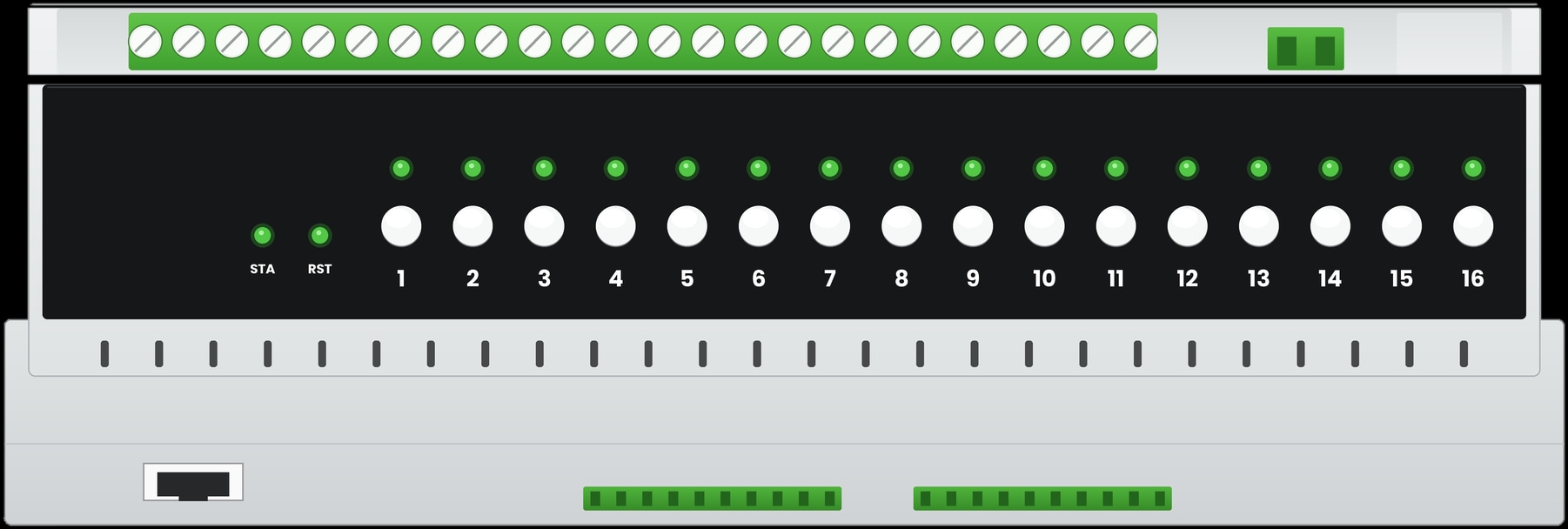
In a new build or a full renovation, the Spark 16-CH relay puts sixteen circuits in one DIN-rail module in the electrical board. Channels 1 to 4 use 50 A magnetic latching relays and channels 5 to 16 use 16 A relays, in a Zigbee 3.0 or a Wi-Fi version.
It accepts RS485 panels and dry-contact, reset (momentary) or ordinary rocker switches, and each channel has its own button and LED on the front panel. You also choose how circuits come back after a power cut: Off, On or a custom scene. Browse all Spark relay modules to match each circuit.
Keep your switches, add smart control
How to plan a smart home that stays reliable
Reliability is planned before the walls are closed. Go through these steps with your architect, electrician or Spark partner.
- 1
Give every important light a wall key
Entrance, stairs, corridors, bathrooms and bedsides each get a key on the wall, not only an app button or a voice command.
- 2
Choose the network
Zigbee switches with the Hub-Z for a whole home and local scenes that run during an outage, or Wi-Fi switches for a few rooms with strong Wi-Fi.
- 3
Pick keys and gangs room by room
Mechanical ZM or touch ZT and WT, 1 to 4 gang for lights, and 3-key or 4-key switches for curtains and shutters.
- 4
Check the wall boxes and the board
ZR-50 and WR-50 modules need a neutral wire in the box. For many circuits in a new build, consider the 16-CH relay.
- 5
Place the Hub-Z
The Ethernet version goes beside the router; the wireless version anywhere within Wi-Fi range, with power.
- 6
Build scenes, then test offline
Create local scenes in the Tuya Smart app, then disconnect the internet and check every switch and scene before you move in.
Planning wall screens too? Read our guide to choosing a smart home control panel size.
Questions people ask about smart switches without internet
Does a smart switch work without WiFi?
A Spark switch does. Pressing it never waits for an app, a server or the Wi-Fi, so the light still switches at the wall. Control from outside the home and voice commands wait for the connection.
Can a smart home work without internet?
Yes, for everyday use. Wall switches still switch lights and run curtains, and local scenes between Zigbee devices keep running through the Hub-Z. Remote control and voice assistants return with the internet.
Is a Zigbee or WiFi smart switch better?
It depends on the home. Zigbee switches with the Hub-Z suit whole homes: they stay off your Wi-Fi and their local scenes keep running offline. The WT-50-B connects straight to Wi-Fi and suits a few rooms.
Do Spark Zigbee switches work with Tuya?
Yes, through the Hub-Z. It brings compatible Tuya Zigbee devices into the Tuya Smart and Smart Life apps, and Spark ZT and ZM switches are listed among them.
Can I install a smart switch without a neutral wire?
Check the wall box first. The ZR-50 and WR-50 relay modules require a neutral wire in the box. For Spark wall switches, a Spark partner can confirm the wiring your home needs before you choose.
Do touch switches work when the internet is down?
Yes. The ZT-50-B and WT-50-B touch switches are Spark switches like the mechanical ZM-100-B, so a tap on the marked symbol still switches the light.