The short answer
KNX is a wired standard: a dedicated bus cable runs to every switch, sensor and actuator, and an integrator programs the system, so it suits large new buildings designed for it from day one. Zigbee is wireless and joins through a gateway such as the Spark Hub-Z, so it fits retrofits, apartments and villas that grow room by room. Spark makes Zigbee and Wi-Fi devices, not KNX.
On this page
What is KNX, and how does a KNX smart home work?
KNX is an open standard for home and building control. In its usual wired form, a dedicated bus cable runs to every switch, sensor and actuator, and the devices talk to each other over it.
The actuators that switch and dim the circuits usually sit in the distribution board, and the wall keys send them commands over the bus. An integrator programs every device with dedicated software: which key controls which circuit, and how each scene behaves.
KNX has a long record in offices, hotels and large residences, and many manufacturers make devices for it. Wireless and IP forms exist, but most KNX homes use the wired bus.
How does a Zigbee smart home work?
Zigbee is a low-power wireless mesh network for smart devices. Switches, modules, curtain motors and thermostats talk by radio and join the home through a gateway instead of a control cable.
In a Spark home, the gateway is the Hub-Z Zigbee gateway or a Spark smart control panel, since every Spark panel has a Tuya Zigbee gateway built in. It connects to your router and keeps Zigbee devices off the router's Wi-Fi.
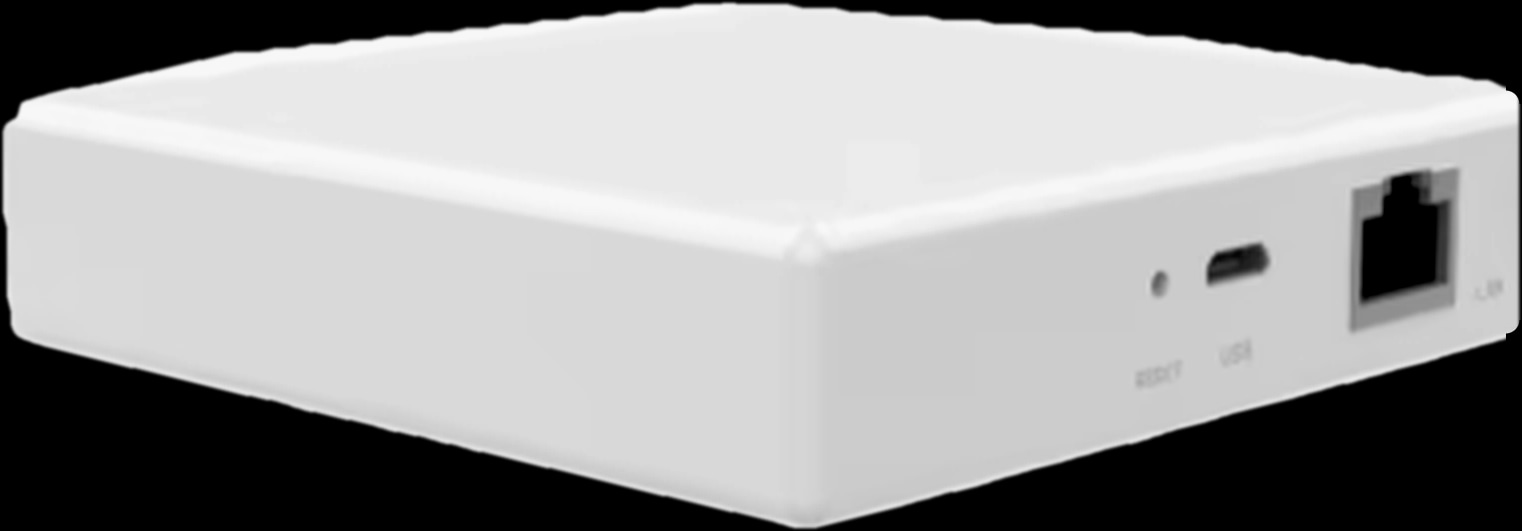
- Gateway: the Hub-Z comes in an Ethernet version (up to 128 sub-devices) or a wireless version.
- Zigbee devices: Spark ZT and ZM switches, and Zigbee versions of Spark's curtain, underfloor heating and split AC controls.
- Wi-Fi devices: Spark Wi-Fi switches and modules join the home Wi-Fi directly, in the same app.
Zigbee or Wi-Fi inside a Spark home has its own guide: Zigbee vs Wi-Fi smart switches.
KNX vs Zigbee: the main differences side by side
In short, KNX puts control on a cable designed into the building; Zigbee puts it on a radio network you can add to an existing home.
| Point | KNX (wired bus) | Spark Zigbee system |
|---|---|---|
| Cabling | A bus cable to every device, laid before plastering | No control cable: devices run on the existing power wiring and talk by radio |
| Where circuits are switched | Actuators, usually in the distribution board | Behind the wall switch, in the switch itself, or on a DIN-rail relay in the board |
| Programming and changes | An integrator with dedicated software; changes usually mean a visit | Pairing, scenes and schedules in the Tuya Smart app |
| Without internet | Runs locally on the bus | Wall switches keep working; Hub-Z local scenes keep running |
| Retrofit | Hard once walls are finished | Made for it; modules need a neutral wire in the box |
| What drives the cost | Bus cabling, a larger board, programming time | Devices and gateways, usually no new control cabling |
Wired vs wireless smart home: cabling and retrofit
Cabling is the biggest practical difference. KNX needs its bus cable in place before plastering, while a Zigbee system can go into a home whose walls are already finished.
That matters in Jordan, where many homes are concrete and stone, and cutting into finished walls for new cables is slow, dusty work.
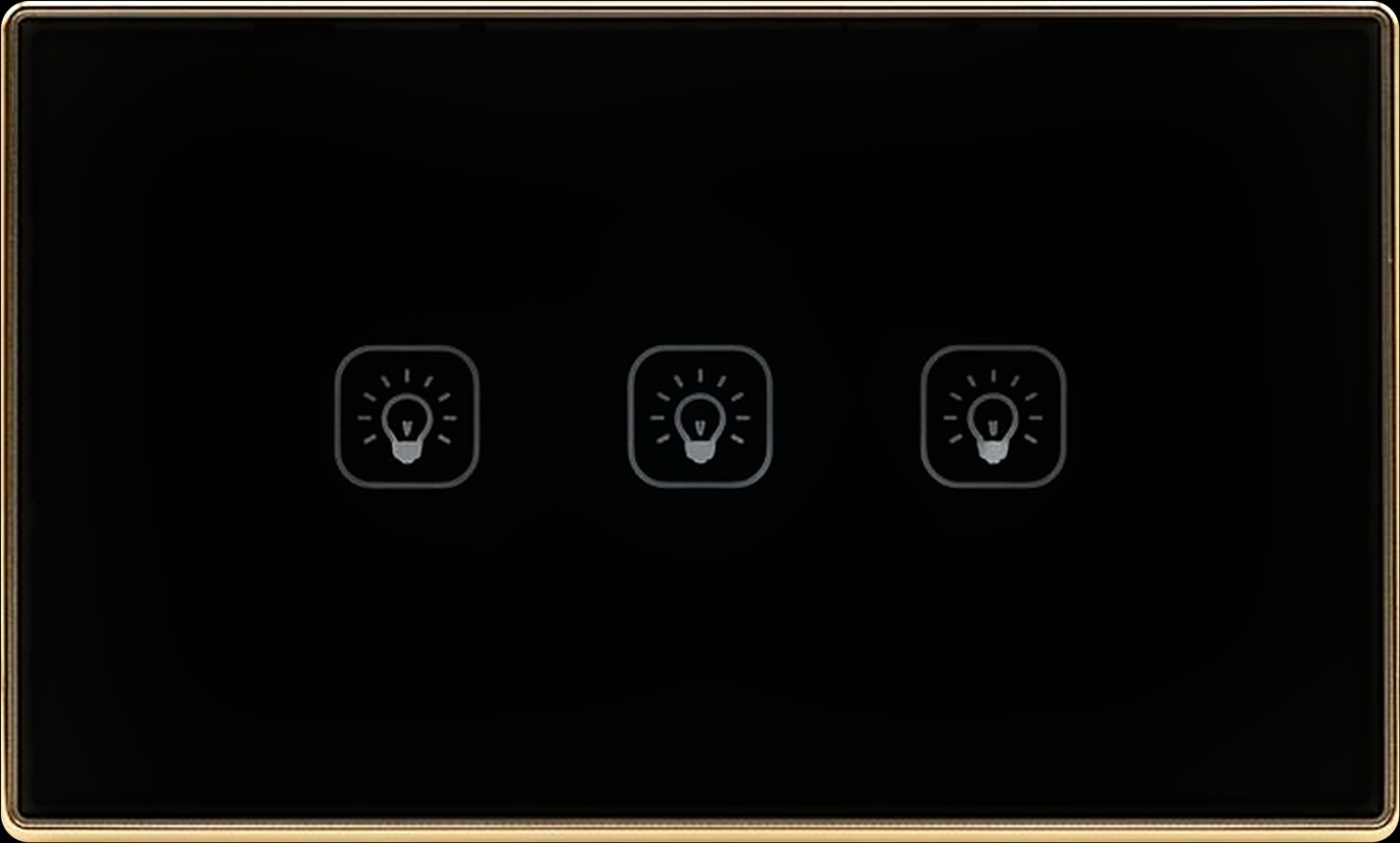
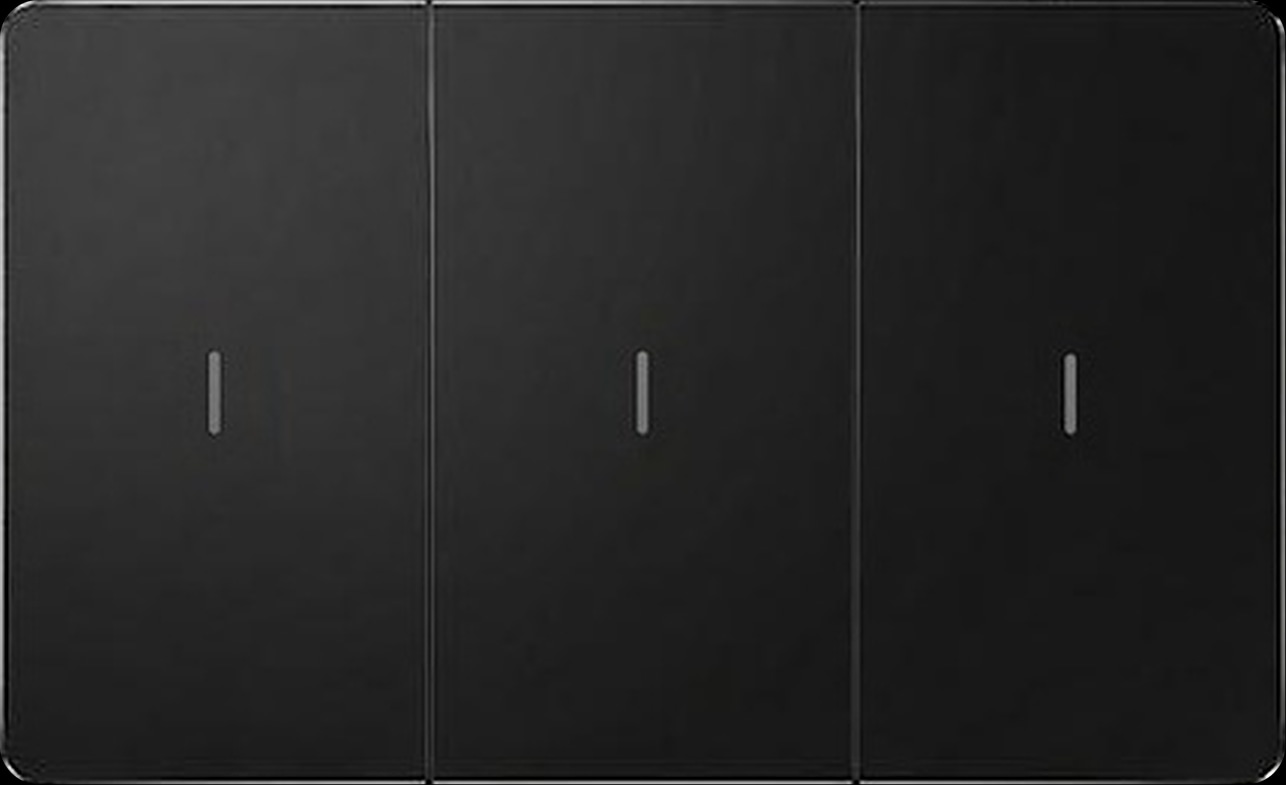
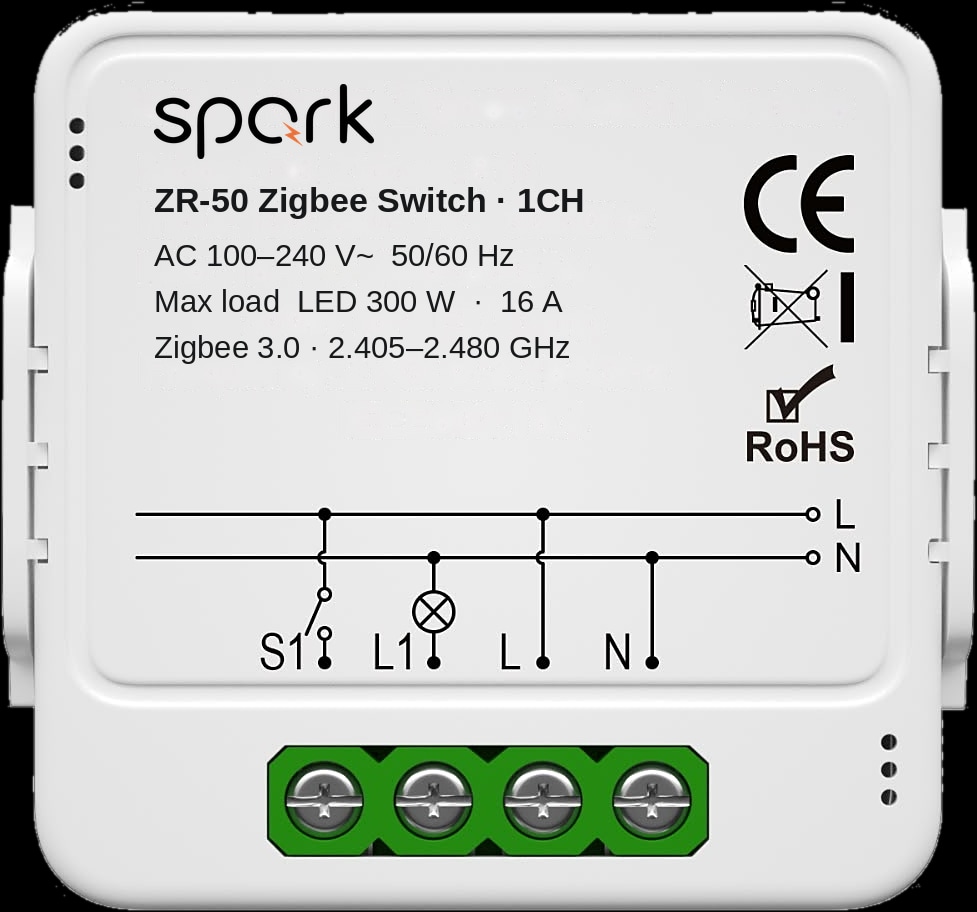
Spark Zigbee uses the power wiring already there. The ZR-50 Zigbee switch module fits in the wall box behind your existing switch, in 1 to 4 channels, or a switch from the Spark smart switches range, such as the ZM-100-B with mechanical keys, replaces the old one.
The ZR-50 needs a neutral wire in the box, which an electrician checks first; our guide to making normal light switches smart explains why.
Central switching without KNX: the 16-CH Relay
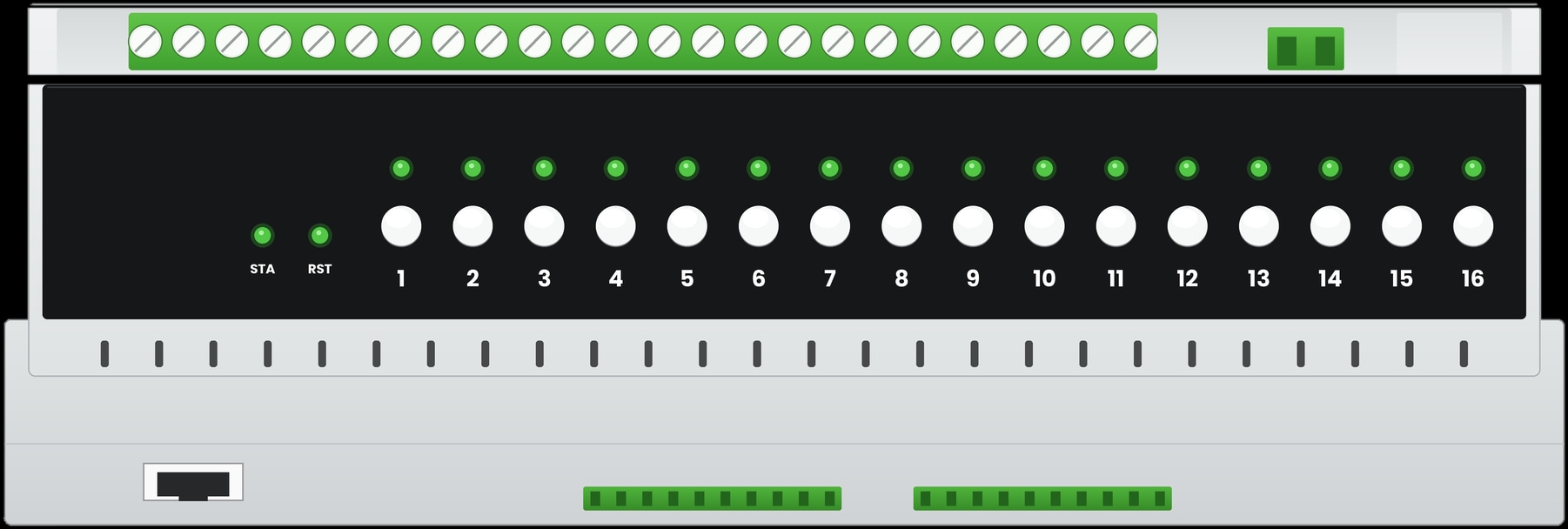
Some engineers like the KNX layout because the switching sits in the distribution board. The Spark 16-CH Relay gives you that on Zigbee 3.0 or Wi-Fi: one DIN-rail module with 16 channels, four on 50 A magnetic latching relays and twelve on 16 A relays.
Wall controls connect as RS485 switch panels on a data bus, or as dry-contact, momentary or rocker switches. It is a Zigbee or Wi-Fi product, not a KNX device; compare it with the other Spark relay modules.
Who programs it, and who can change it later?
With KNX, a trained integrator programs the system, and most later changes, even to what a key does, mean another visit. With a Spark Zigbee system, devices pair in the Tuya Smart app and you can adjust scenes and schedules yourself.
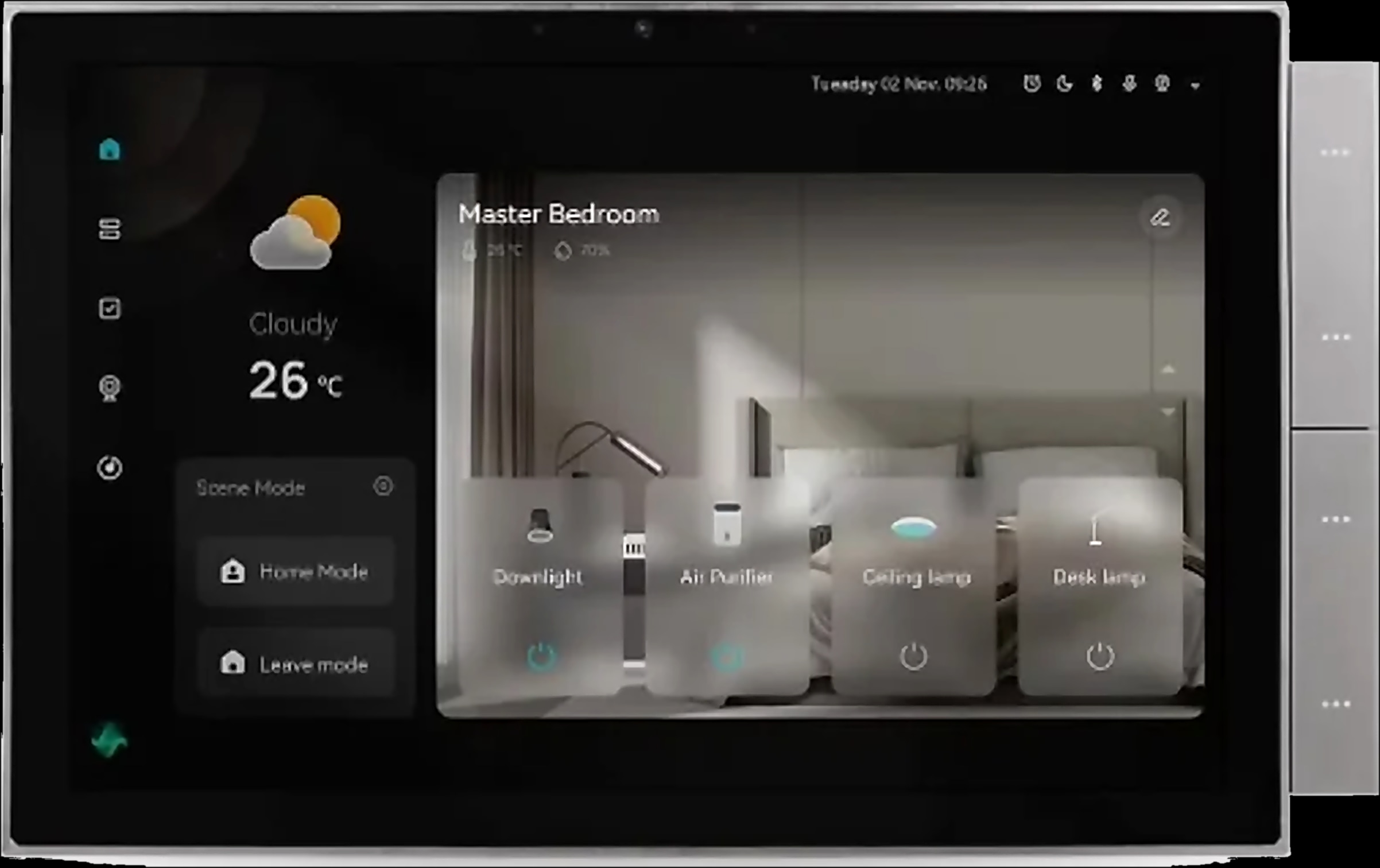
The Hub-Z works with the Tuya Smart and Smart Life apps, and the same devices and scenes appear on a wall screen such as the Spark 10-inch Panel. Spark partners plan, wire, pair and hand over a working home, then stay one contact for updates and new rooms.
App, voice and local control: what works without internet?
Both systems keep the basics running without internet. A KNX bus works locally by design. In a Spark Zigbee home, every switch is a real switch, and the Hub-Z keeps local scenes between Zigbee devices running, such as lighting the hall when a door opens.
Control from outside the home and voice assistants need the internet in either system. The Hub-Z brings app and voice control, the ZR-50 works with Alexa and Google Home through a compatible Zigbee hub, and the 10-inch Panel has Alexa built in. KNX usually needs an extra gateway or server for that.
For the full picture, read our guide to smart switches that work without internet.
How far can each system grow?
KNX is built for scale, as long as the bus reaches every position. Spark Zigbee grows by gateway and by room: the Ethernet Hub-Z supports up to 128 sub-devices, and each Spark control panel has its own Zigbee gateway.
No capacity is stated for the wireless Hub-Z, and thick concrete walls affect where gateways go, so for a large home a Spark partner confirms the plan on site.
Zigbee's real strength is flexibility: start with one room and add switches and modules later, usually without new cable runs. With KNX, a future room is easy only if the bus already reaches it.
| Spark product | Role in the system | Network | Key figures |
|---|---|---|---|
| Hub-Z, Ethernet | Gateway beside the router | Ethernet to the router, Zigbee to devices | Up to 128 sub-devices; 90 × 90 × 23 mm |
| 10-inch Panel | Wall screen with a built-in Tuya Zigbee gateway | Wi-Fi 2.4 GHz, LAN, Zigbee | Alexa built in; connect 2 speakers |
| 16-CH Relay | 16 circuits switched from the board | Zigbee 3.0 or Wi-Fi version | 4 × 50 A and 12 × 16 A channels; RS485 and dry-contact inputs |
| ZR-50 | Module behind an existing switch | Zigbee 3.0, through a gateway | 1 to 4 channels; neutral required |
The parts of a Spark Zigbee system
KNX or Zigbee: which should you choose for a villa or apartment?
Choose KNX for a large new building where the bus cabling is designed from day one and an integrator will look after it. Choose Zigbee for retrofits, apartments and villas that want to grow room by room.
KNX makes sense when
- The building is new, large and still on the drawings.
- An integrator will maintain the system for years.
- The owner wants a central, engineered installation and few changes after handover.
Zigbee fits better when
- The walls are finished, or you want to avoid new cable runs in a renovation.
- You live in an apartment, where rewiring is rarely possible: see smart home for apartments.
- You want to start with a few rooms and add more later.
- You want to change scenes and schedules yourself.
- 1
Fix the stage of the build
KNX needs its bus cable before plastering; Zigbee works at any stage, including finished homes.
- 2
Decide where circuits are switched
Behind each switch with ZR-50 modules, at the wall with Zigbee switches, or in the board on the 16-CH Relay.
- 3
Check the switch boxes
Spark modules need a neutral wire in the box; in a new build, bring one to every box.
- 4
Place the gateway
The Ethernet Hub-Z beside the router, the wireless version within Wi-Fi range, or a control panel as the gateway.
- 5
Agree who looks after it
For KNX, the integrator and the project file. For Spark, a Spark partner for updates and new rooms.
Architects and installers who want to design with Spark from the drawings can join the Spark partner programme.
Questions people ask about KNX and Zigbee
What is KNX in a smart home?
KNX is an open standard for home and building control. In most homes it is wired: a dedicated bus cable connects every device, and an integrator programs the system with dedicated software.
Is KNX better than Zigbee?
Not in every home. KNX suits large new buildings where the bus is planned from day one and an integrator maintains it. Zigbee suits finished homes, apartments and villas that grow room by room, through a gateway such as the Hub-Z.
Can KNX and Zigbee work together?
In principle, yes: gateways exist that connect the two. Spark does not make one, and Spark's product pages list no KNX compatibility. If your building already has KNX, ask a Spark partner what can sit beside it.
What is a good KNX alternative for a villa?
A wireless Zigbee system with a central gateway. With Spark, that means the Hub-Z or a control panel, Zigbee switches and modules in the rooms, and the 16-CH Relay in the board for central switching, as in a KNX layout.
Is a wired smart home more reliable than a wireless one?
A wired bus does not depend on radio coverage, one reason KNX is trusted in large buildings. A well-planned Zigbee home is dependable too: its switches are real switches, and a partner checks coverage on site.